How Designers Create and Improve Visual Content Faster Using AI
Visual content has become a daily requirement for designers. From social media graphics and banners to presentations and digital publications, the demand for high-quality visuals keeps growing. At the same time, timelines are getting shorter and expectations around quality are rising.
To keep up, many designers are using AI as a support layer in their workflow. Not to replace creativity, but to remove repetitive work and speed up both creation and improvement of visual assets.
The Real Challenges Designers Face in Visual Content Creation
Most delays in design work are not caused by a lack of ideas. They come from operational friction.
Designers often spend significant time:
- • Creating visuals from scratch for every project
- • Fixing low-quality or outdated images
- • Searching for usable assets that match brand guidelines
- • Handling repeated revisions under tight deadlines
When content volume increases, traditional workflows struggle to scale, especially for small teams and solo creators.
Creating Visual Content Faster with AI
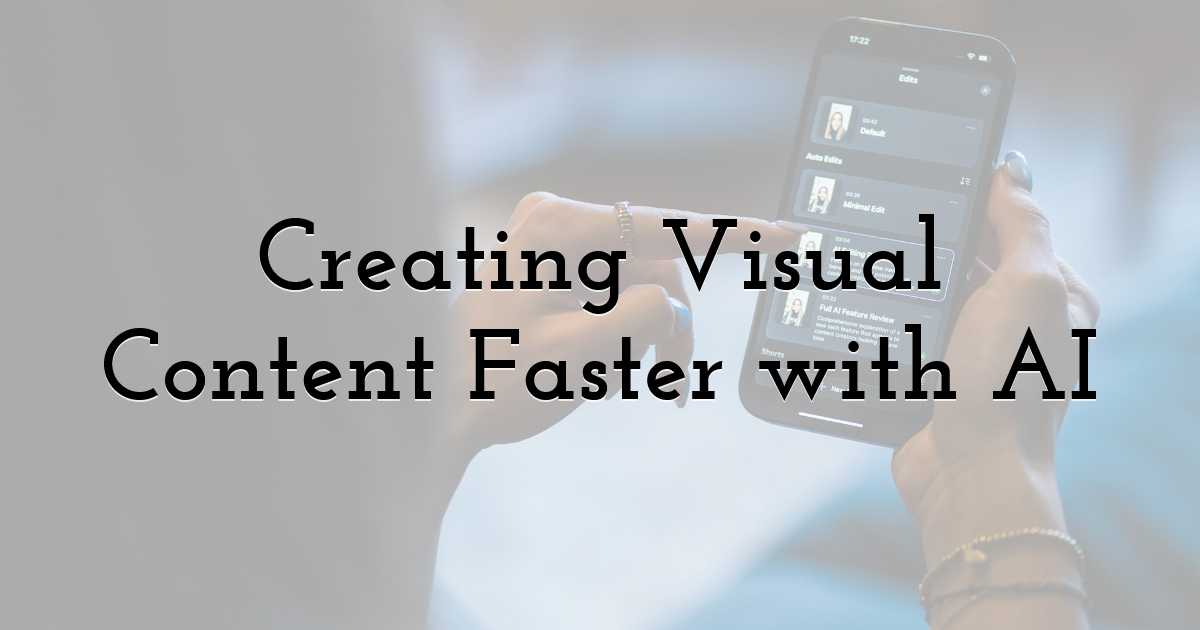
AI is especially helpful during the early stages of design. Instead of starting with a blank canvas, designers can begin with visual concepts generated from simple descriptions.
An AI image generator allows designers to turn ideas into visuals within minutes. It helps explore layouts, styles, and themes quickly without committing hours to manual design work. These visuals act as starting points that designers can refine, adapt, and align with brand requirements.
This approach reduces ideation time and makes it easier to test multiple creative directions before choosing the strongest one. Tools like ImagineArt support this process by enabling designers to create original visuals while keeping full creative control. The focus stays on design decisions rather than repetitive setup work.
Improving Image Quality Without Starting Over
Speed in design is not only about creating new visuals. It is also about improving what already exists.
Designers often work with images that are blurry, damaged, scanned, or low resolution. Recreating these assets from scratch can be time-consuming and unnecessary.
This is where AI photo restoration becomes useful. Instead of discarding older visuals, designers can restore clarity, fix damage, and enhance image quality while preserving the original structure.
AI photo restoration is commonly used for:
- • Old brand assets
- • Scanned photos and documents
- • Low-resolution images from previous campaigns
- • Archived visuals reused for new designs
Restoring images saves time and helps maintain visual consistency across projects.
Combining Creation and Improvement in One Workflow
Design speed increases when creation and improvement happen within the same workflow. AI supports this by reducing handoffs between tools and processes.
Designers can:
- • Generate new visuals when needed
- • Enhance existing images instead of replacing them
- • Reuse assets across multiple projects
- • Maintain consistency across campaigns
This combination allows teams to move faster without losing control over quality or design standards.
Practical Design Scenarios Where AI Saves Time
AI is already part of many everyday design tasks.
For social media, designers generate visuals quickly and adapt them to different formats.
For marketing, AI helps create and refresh banners, ads, and promotional graphics.
For presentations and digital publications, restored images improve clarity without redesigning layouts.
For content libraries, AI extends the lifespan of existing assets by improving quality and relevance.
In each case, AI reduces repetitive work and frees designers to focus on creative direction.
When AI Works Best and When Human Judgment Matters
AI is strongest when it handles speed and repetition, but it does not replace creative thinking or strategic judgment.
AI works best when designers need to:
- • Explore visual ideas quickly at the concept stage
- • Handle repetitive enhancement tasks efficiently
- • Restore, upscale, or improve existing images without starting from scratch
Human judgment remains essential for:
- • Maintaining brand tone and visual identity
- • Making editorial and creative decisions
- • Choosing final visuals that align with the message
- • Understanding audience expectations and context
The most effective workflows treat AI as a creative assistant. It accelerates execution, while designers remain responsible for direction and final decisions.
Common Mistakes Designers Should Avoid
AI tools can save time, but poor usage often leads to weaker results. Common mistakes designers should avoid include:
- • Settling on the first generated image without exploring alternatives
- • Publishing visuals without proper review or refinement
- • Ignoring brand guidelines and visual consistency
- • Treating AI-generated output as finished design
AI results should always be evaluated and adjusted with the same care as manually created visuals. Clear intent, review, and creative oversight are what turn AI output into professional design work.
The Long-Term Value of Smarter Design Workflows
Designers who use AI thoughtfully benefit over time. Faster workflows reduce burnout. Reusing and improving assets lowers production costs. Consistent visuals strengthen brand identity.
Most importantly, AI gives designers more time to focus on creativity, strategy, and storytelling instead of repetitive production work.
Final Thoughts:
AI has become a practical tool for designers who need to create and improve visual content faster. By supporting both image generation and restoration, AI removes common bottlenecks while keeping creative control in human hands. When used correctly, AI strengthens design workflows instead of replacing them. Platforms like ImagineArt make this process practical by allowing designers to generate high-quality visuals from text prompts, then refine them further using built-in editing and restoration tools as part of a single workflow.
FAQs
Q. Can AI replace designers in visual content creation
No. AI supports designers by handling repetitive or time-consuming tasks, but it does not replace creative thinking, visual judgment, or strategic decision-making. Human input is still essential for brand alignment and storytelling.
Q. Are AI-generated images suitable for professional design projects
Yes. AI-generated images can be used in professional projects when they are reviewed, refined, and adjusted by designers. Many teams use them as a strong starting point for campaigns, layouts, and visual concepts.
Q. How does AI photo restoration help designers save time
AI photo restoration improves image clarity, fixes damage, and enhances resolution without requiring full redesigns or manual retouching. This allows designers to reuse existing assets instead of recreating visuals from scratch.
Q. Do designers need technical skills to use AI tools
No. Most AI design tools are built for ease of use and do not require coding or advanced technical knowledge. Designers can focus on creative direction while the tools handle the technical processing.
Q. How does AI fit into existing design workflows
AI complements traditional design tools by speeding up image creation, editing, and enhancement stages. It integrates naturally into workflows without replacing established design processes.
Until next time, Be creative! - Pix'sTory
Recommended posts
-
From Research to Ready-to-Present: How HIX AI Slides Simplify Presentatio...
Read More › -
Breaking the Creative Bottleneck: How We Scaled Our Ad Output Without Bur...
Read More › -
How Designers Can Avoid Common Graphic Design Mistakes
Read More › -
When Templates Break: How Automated Testing Can Prevent Visual Regression...
Read More › -
How to Build a Highly Efficient Team Knowledge Base Using an AI Wiki
Read More › -
How to Create Stunning Logos with AI
Read More ›
