AI Cover Art Generator for Music and Podcasts: From Prompt to Distribution-Ready
Great music stops the scroll; striking cover art starts it.
Until now, you either hired a designer or hacked together a square in a template tool for Spotify, Apple Podcasts, or Bandcamp.
Today, generative AI turns a few prompts into studio-grade visuals—no design degree needed.
This guide compares the top platforms that convert words (and sometimes your own tracks) into distribution-ready artwork.
You’ll see how we scored each tool, the specs streaming services require, and where free tiers end.
Ready to pick your next cover?
How we ranked every AI cover art generator
Picking one tool over another can feel subjective, so we built a scoring framework before writing a single word.
Publishing that framework keeps praise consistent, critique fair, and your choice clear.
It also matches semantic SEO practice by surfacing the evaluation method early so readers and search engines can follow the logic.
We tested more than twenty platforms and graded each against six weighted factors tied to common creative pain points.
High-resolution visuals came first, cost second, workflow speed third.
If any tool failed an essential check (no commercial license, permanent watermark, or exports below 1,400 × 1,400 pixels), it dropped from the list.
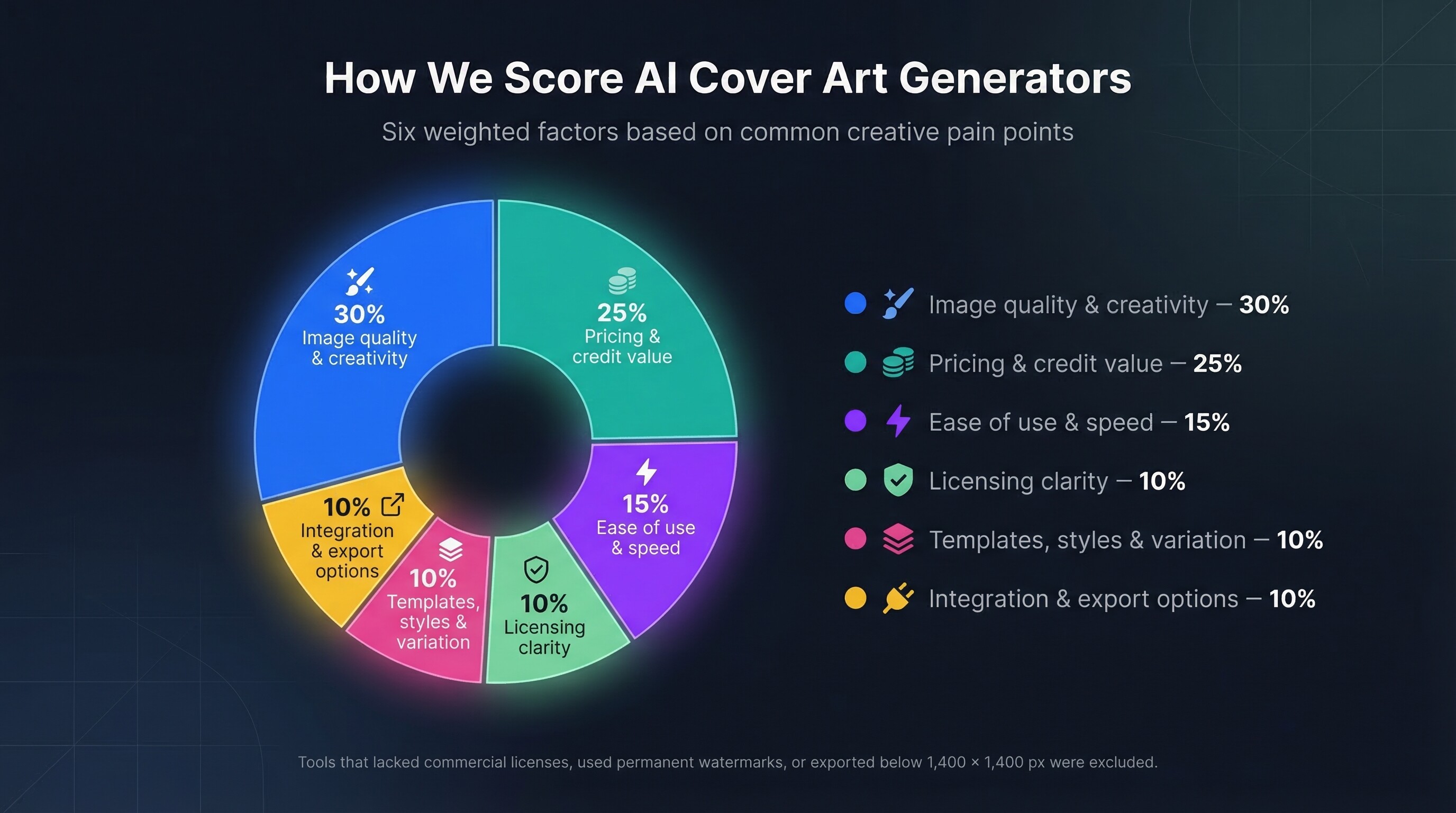
Weights we applied:
- • Image quality & creativity: 30 percent
- • Pricing & credit value: 25 percent
- • Ease of use & speed: 15 percent
- • Licensing clarity: 10 percent
- • Templates, styles & variation: 10 percent
- • Integration & export options: 10 percent
For every finalist we used the same prompt set, inspected full-size renders, timed output, and reviewed user forums for reliability issues.
The resulting scores decide the order you will see next.
Cover art specs every platform cares about
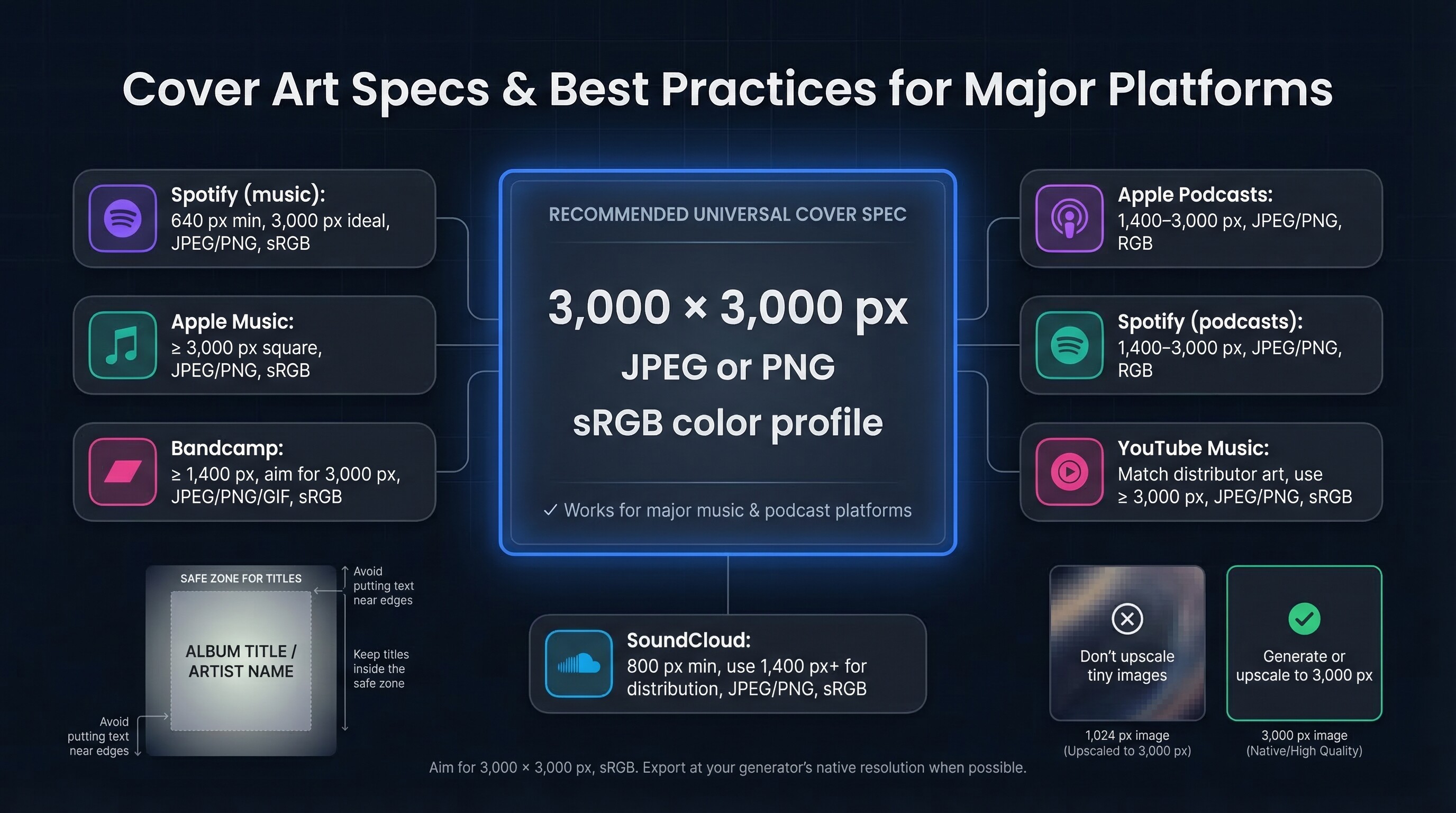
Before we rank tools, we confirmed what each store accepts.
Size, format, and color space differ just enough to cause rejections, so we gathered the latest rules in a quick-scan table.
Publishing these numbers side by side answers “What resolution does Spotify need?” and “How large for Apple?” while giving search engines structured data to recognise.
| Platform | Accepted dimensions (square) | File type | Color profile |
|---|---|---|---|
| Spotify (music) | 640 px minimum ➜ 3,000 px ideal | JPEG, PNG, TIFF | sRGB, 24-bit |
| Apple Music | 3,000 px × 3,000 px minimum, often 4,000 px for new releases | JPEG, PNG | sRGB |
| Apple Podcasts | 1,400–3,000 px | JPEG, PNG | RGB |
| Spotify (podcasts) | 1,400–3,000 px | JPEG, PNG | RGB |
| Bandcamp | 1,400 px minimum; aim for 3,000 px | JPEG, PNG, GIF | sRGB |
| SoundCloud | 800 px minimum (tracks) ➜ 1,400 px+ for distribution | JPEG, PNG | sRGB |
| YouTube Music | Match distributor art (use ≥ 3,000 px) | JPEG, PNG | sRGB |
Best-practice nudges:
- • Export at the native resolution your generator produces. Avoid enlarging a 1,024-pixel Midjourney image in Photoshop.
- • Keep text inside the safe zone. Each platform crops thumbnails differently, so leave a margin if you plan to add titles later.
- • Stay in sRGB. It is the shared profile across every major feed, and any other space can look washed out on mobile.
Remember the 3,000 × 3,000 target.
Once your AI tool reaches that benchmark, the biggest technical hurdle is behind you.
Prompting tips that turn raw AI into polished cover art
A generator is only as strong as the words you feed it.
Spend an extra minute on the brief and you save twenty on cleanup.
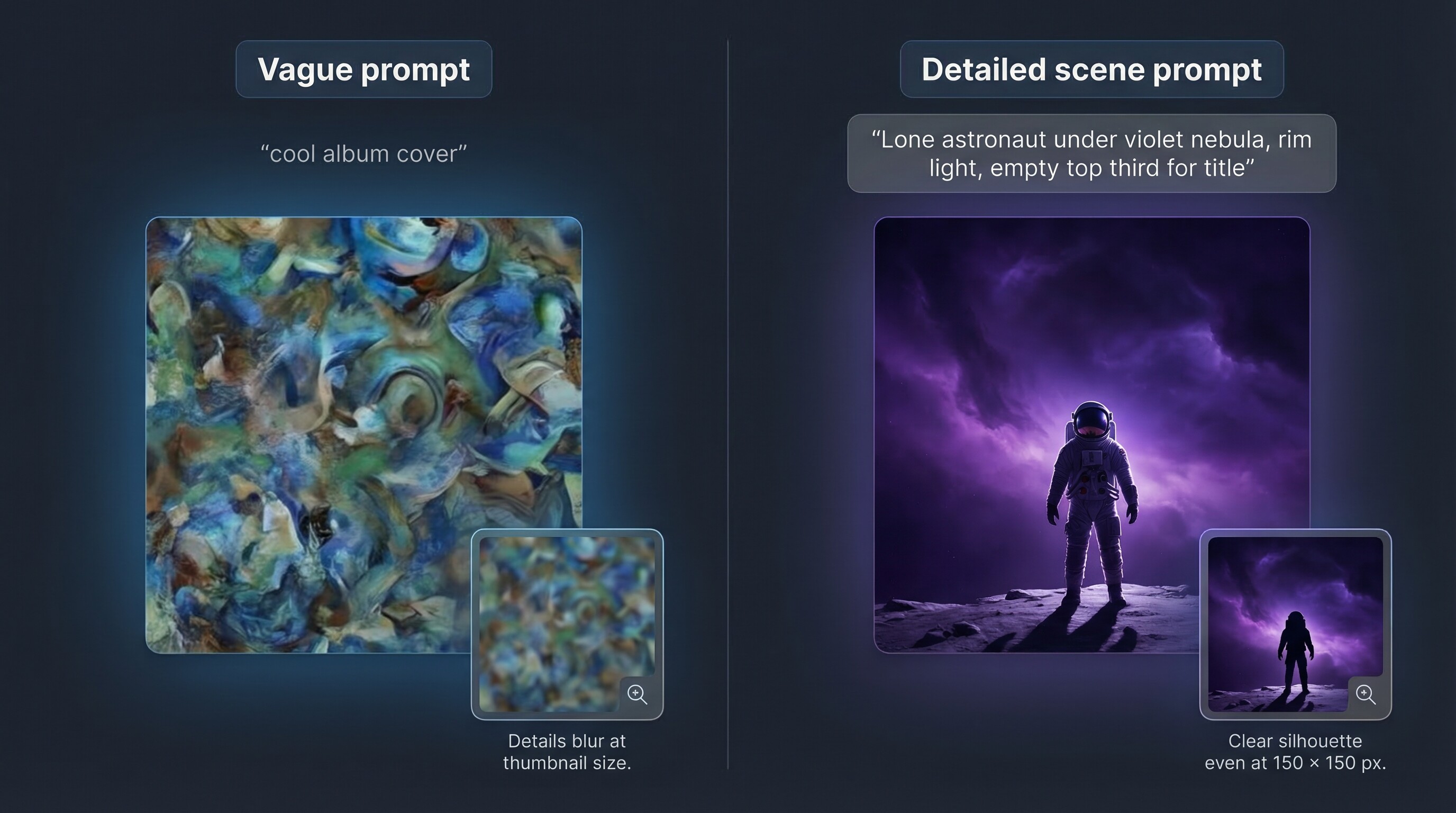
Think in scenes, not single objects.
“Lone astronaut under violet nebula, rim light, empty top third for title” gives the model composition, mood, and room for typography.
A vague request like “cool album cover” seldom lands.
Spell out style cues.
Want a vintage soul vibe? Include “grainy 1970s film, warm earth-tone palette.”
Aiming for modern EDM energy? Try “neon cyberpunk, high-contrast magenta and teal.”
Style tags guide the model away from tired clichés.
Generate variations in bursts.
Run four to eight attempts, shortlist one or two, then iterate with small tweaks.
Rapid branching beats polishing a weak first draft.
Handle text outside the model.
Even the best engines scramble letters.
Export the art at full resolution, open it in Canva or Photoshop, and add clean vector type over the negative space you planned earlier.
Always preview at postage-stamp size.
Shrink the cover to 150 × 150 pixels and ask, “Can I still tell what it is?”
High-detail fantasy scenes often blur when tiny.
If the thumbnail fails, raise contrast or simplify the focal point.
Lock in final specs before you export.
Set the canvas to 3,000 × 3,000 pixels, sRGB, and high-quality JPEG or PNG.
Upscale if needed, then keep a master copy so you can downsize without losing quality for other platforms.
Follow these habits and any top-ranked tool becomes a reliable design assistant.
1. Leonardo.ai: studio-grade quality without the learning curve
Leonardo tops our list because its AI image generation platform is built for speed, consistency, and creative control—traits musicians and podcasters depend on when deadlines loom.
Drop a prompt into the web app and you receive crisp, on-brief images that rarely need rescue edits.
Behind the scenes, Stable Diffusion XL plus a library of community models let you shift from moody synthwave to delicate watercolor without changing platforms.
Custom model training is Leonardo’s standout feature.
Upload reference images—your logo, a mascot, a past album sleeve—and the system learns your visual DNA.
Next time you generate, that signature style returns on cue, giving you brand consistency with little effort.
Speed counts too.
Leonardo renders in seconds, and the built-in upscaler leaps to 3,000 × 3,000 pixels, so the file drops into Spotify or Apple Music without extra clicks.
Outputs are watermark-free on the generous free tier, and the commercial licence is plain English: you own what you make.
There is still no native typography, but the same is true for most pure generators.
Create art in Leonardo, load the file into Canva or Photoshop, and add clean vector text over the negative space you planned earlier.
Best for: indie artists who want Midjourney-level visuals and a consistent signature look across singles, albums, and promo art, all without touching Discord.
2. Midjourney: artistic wow factor for bold covers
Designers looking for mind-bending concepts often reach for Midjourney.
The Discord-based bot still delivers painterly, emotionally charged imagery, which earns it second place on our list.
Midjourney understands metaphor better than most public models.
Type “lonely trumpet echoing across a neon-lit alley” and the bot returns a moody film-noir scene that feels hand-illustrated.
That creative intuition matters when your album needs an instant, unmistakable vibe.
Quality arrives with quirks.
You work inside a Discord channel and watch thousands of prompts scroll past.
Some creators love the shared inspiration; others find the chat chaotic.
A lightweight web gallery exists, yet full generation still relies on chat commands.
Renders start near 1,024 pixels, and the built-in High-Res Upscale pushes past 2K.
One more pass through an external upscaler reaches the 3,000-pixel target without visible loss.
Licensing is simple.
Pay for any tier and you own commercial rights.
If your company earns more than one million dollars in revenue, Midjourney asks you to upgrade to the Pro plan.
Downloads arrive watermark-free, and the community feed remains optional when you use private mode.
Midjourney struggles with text, so plan to add titles later.
When you want cover art that feels lifted from a graphic novel or a surrealist canvas, its flair is hard to beat.
Best for: musicians who crave striking visual storytelling and podcasters seeking art that sparks quick intrigue, even if it means typing commands inside a busy Discord lounge.
3. DALL·E 3: conversational edits and surprising accuracy
OpenAI’s latest model earns bronze because it listens.
Describe a scene in ChatGPT or Bing, then refine it as if you are chatting with a design assistant.
“Make the background darker.” “Move the mic left.” DALL·E 3 follows without forcing a fresh prompt, which saves time.
Precision carries into text placement.
It still slips on ornate scripts, yet it can position short titles or single words accurately, letting you block in “MARS FM” before adding final typography.
The trade-off is resolution.
Images arrive near 1,024 pixels, but modern upscalers reach 3,000 pixels in seconds, and the base quality holds detail.
Licensing is clear: you own commercial rights as soon as the image appears, and no watermark hides in the corner.
Access depends on your workspace.
In ChatGPT Plus, generation feels like a joint brainstorm with copy and imagery in one thread.
Bing Image Creator offers a simple prompt box with daily free credits.
Both options avoid the complexity of Discord bots or local installs.
Best for: podcasters and musicians who want surgical prompt control—such as product shots, precise layouts, or on-brand color tweaks—more than ultra-high native resolution.
4. Stable Diffusion: ultimate flexibility for tinkerers
Stable Diffusion is less a single app and more an ecosystem.
Think of it as the open-source engine behind dozens of sites, desktop GUIs, and even Raspberry Pi builds.
That openness gives you two key advantages: broad model choice and full cost control.
Run it locally with the Automatic1111 interface and you pay nothing after the GPU investment.
Load a fine-tuned model such as “RetroAlbumDiffusion” from CivitAI and your prompts inherit that exact aesthetic.
Need photorealism tomorrow? Swap models and try again.
No other option lets you shift styles this quickly.
Webfronts like Playground AI, DreamStudio, and Mage.space remove the hardware hurdle.
Most offer daily free credits and place advanced knobs (CFG scale, negative prompts, high-res fix) behind simple sliders.
You can stay in beginner mode or fine-tune every pixel.
Complexity is the trade-off.
Prompt parameters, seed values, and sampler jargon can overwhelm newcomers.
Default outputs land near 1,024 pixels, so you must run an upscaler or a two-pass high-res trick to reach cover-art size.
Once you master that flow, quality rivals paid platforms.
Licensing stays creator-friendly.
Models ship under OpenRAIL terms, and the images you generate are yours.
No watermarks, no hidden clauses, just common-sense rules about illegal content.
Best for: tech-savvy artists who prize control, want a private style library, or prefer not to pay per prompt.
If you enjoy tweaking settings as much as making music, Stable Diffusion feels like home.
5. Adobe Firefly: Photoshop-friendly workflow with brand-safe training data
Firefly lives inside the Adobe apps many creators already use, so setup feels familiar.
Generate a textured backdrop in the web beta.
Then open it in Photoshop, where Generative Fill expands borders, swaps skies, or adds neon while preserving layers.
No exports or file shuffling, which keeps edits reversible until you flatten and ship.
Adobe focuses on creative safety.
Firefly trains only on licensed or public-domain work.
Each download carries invisible content credentials that prove provenance for anyone checking copyright.
For labels or agencies building long-term catalogs, that traceability matters.
Quality lands at a solid B plus.
Outputs look clean and commercial, leaning more illustration than hyper-stylised fantasy.
Photorealism still trails Midjourney.
Even so, color balance and detail hold up after a 4K upscale through Photoshop’s Super Resolution.
Typography is Firefly’s hidden strength.
Because you are already in the Adobe environment, adding text, gradients, or smart objects takes a single click.
It is faster than juggling a pure generator and an external layout tool.
Pricing stays simple.
The web beta is currently free, and Photoshop or Illustrator integrations ride on your existing Creative Cloud plan.
If you already subscribe, Firefly arrives as a bonus, not a new bill.
Best for: artists and marketers who rely on Adobe, need clear usage rights, and want a one-app handoff from concept to press-ready cover.
6. Canva (Magic Studio): one-stop design and AI under one roof
Canva moves fast.
Open a square template, type a scene in “Text to Image,” and the artwork lands inside a pre-built album-cover layout in the same browser tab.
No download–upload shuffle, no guessing font pairings.
Quality sits a notch below the top five, yet many creators accept that trade for workflow ease.
The generator uses Stable Diffusion, so expect solid illustrations and stylised photos rather than Midjourney scale drama.
Canva shines in polish.
Drag your title into place, nudge a logo, add a parental-advisory badge, and export at 3,000 × 3,000 pixels in under ten minutes.
The free plan provides enough AI images for a single release.
Canva Pro unlocks larger quotas plus premium fonts and elements for about twelve dollars a month, cheaper than one stock-art purchase.
Commercial rights stay clear.
You own every AI image you make, and Pro assets include a blanket licence for album covers.
Just avoid adding paid stock you have not licensed.
Best for: DIY musicians and podcasters who prefer an all-in-one canvas over fine-grained model controls and who want share links so bandmates can tweak copy without learning new software.
7. NightCafe Creator: community playground with credit-friendly pricing
NightCafe feels like an online art café.
You pick an algorithm (Stable Diffusion XL, DALL·E 2, or CLIP) and draft prompts while other creators share theirs in the gallery.
That open feed is half the appeal: search “album cover,” press Remix, and you inherit another user’s settings for a head start.
Free credits refill each midnight, so casual users can create several 1,024-pixel images at no cost.
Need higher resolution or upscales? Buy a one-time credit pack; no automatic subscription.
The interface stays simple.
Choose a square aspect, paste your prompt, and tap Generate.
Advanced mode reveals seed control, step count, and negative prompts, yet you can ignore them.
A mobile app lets you sketch ideas on the commute and download full files later.
Outputs cap at 1,024 pixels, but the built-in 2× and 4× upscalers reach the 3,000-pixel mark needed for distribution.
Upscaling spends credits, so save a few for the final render.
NightCafe claims no rights to your art.
Downloads arrive watermark-free, and images stay private unless you press Publish.
That privacy helps when you want to tease a surprise release.
Best for: creators who learn by example and want a relaxed sandbox to test many prompt variations before choosing a final aesthetic.
8. Sivi AI: layout engine that keeps text editable
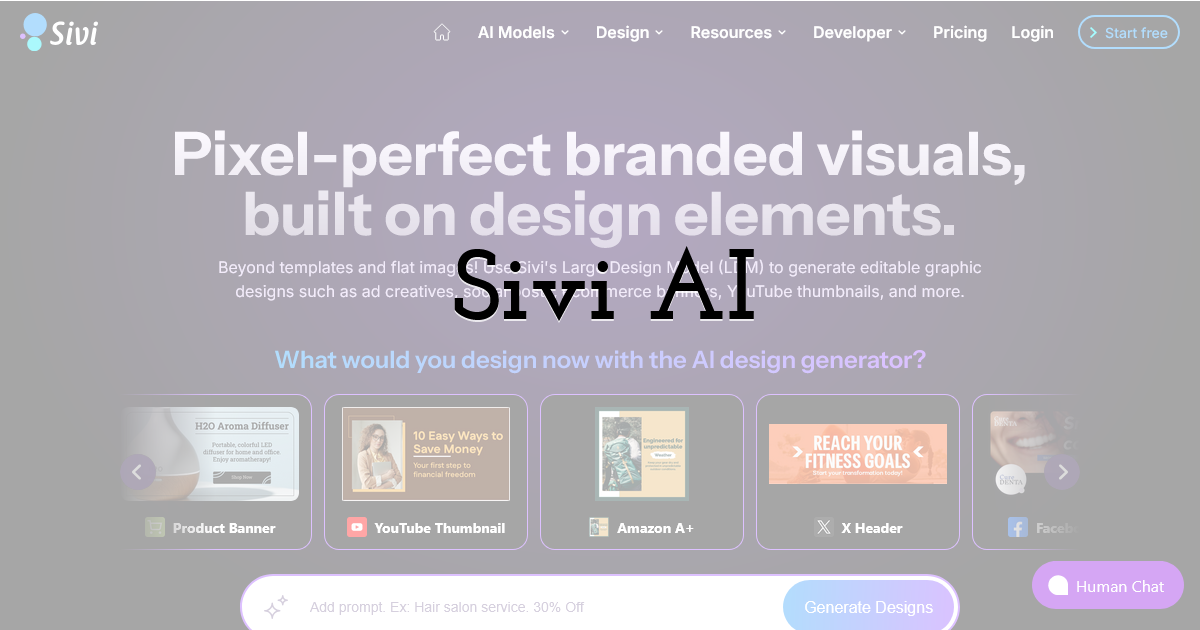
Most generators hand you a flat image and wish you luck with typography.
Sivi takes a different path by delivering a multi-layer design where every text box, shape, and color swatch stays live.
Drop in your album title, choose a genre keyword, and Sivi returns several covers with balanced layouts and headline fonts you can swap in seconds.
The strength lies in Sivi’s “Large Design Model.”
Rather than one neural net guessing pixels, it combines image generation with rules about hierarchy, white space, and brand assets.
Upload your logo, set brand colors, and the AI respects them across every variation.
That consistency saves time when you release a podcast series or multiple singles in quick succession.
Because elements remain vector, scaling to 3,000 × 3,000 pixels is simple and text stays sharp at any size.
Need matching Instagram story art? Sivi can resize the same design into vertical or widescreen formats while keeping proportions intact.
The free plan lets you test a few projects.
Paid tiers add higher-resolution downloads and unlimited brand kits.
Licensing is clear: the assets you generate are yours for commercial use without hidden royalties.
Sivi’s art engine favors clarity over surrealism.
If you want psychedelic space creatures, choose Midjourney.
If you need a clean, legible cover before Friday’s upload deadline, Sivi feels like hiring a layout artist on demand.
Best for: brands and networks that treat cover art as part of a larger identity system and need editable, on-brand files without opening Illustrator.
9. Pixazo AI: multi-media suite with an album-cover turbo button
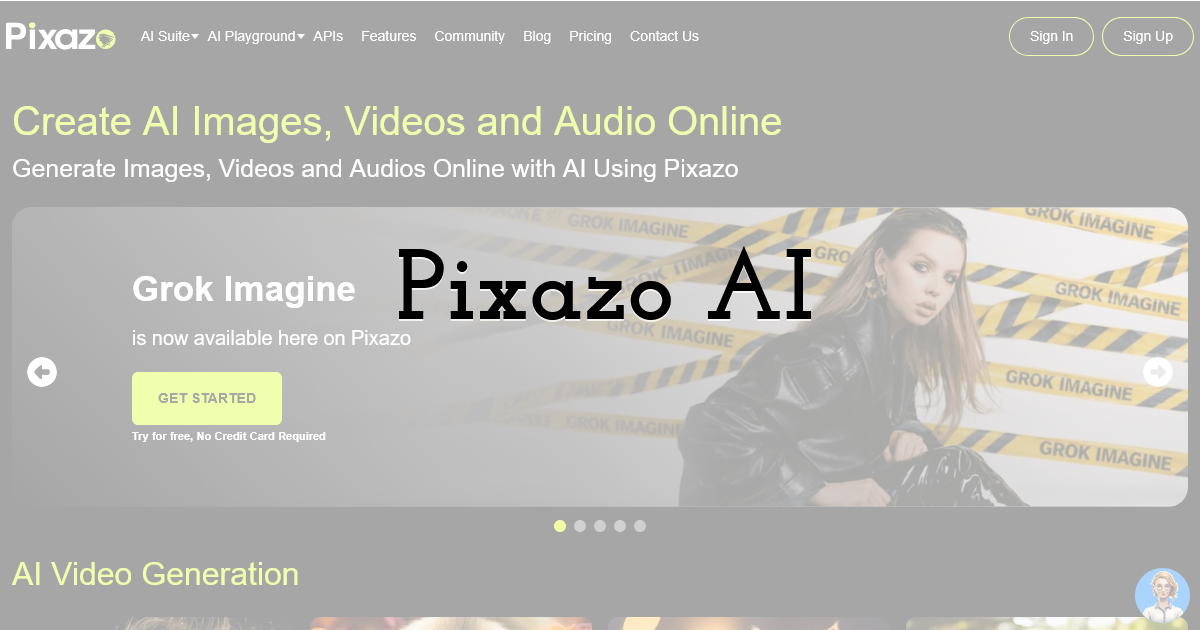
Pixazo calls itself an all-in-one creator toolbox: images, video, and even AI-assisted audio.
Tucked inside that buffet is a practical Album Cover Maker that creates high-resolution art with almost no setup.
The interface works like a guided chat prompt.
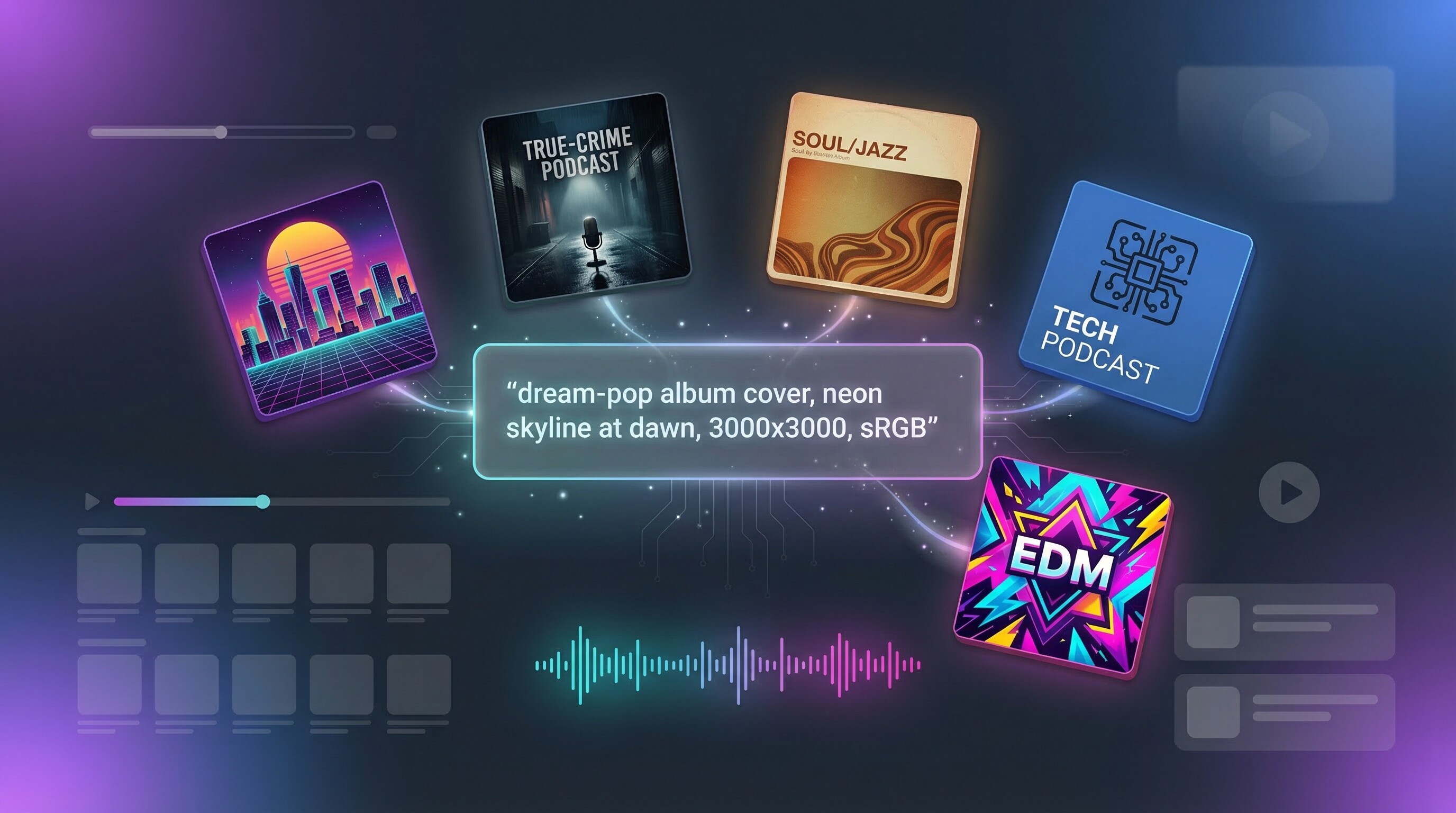
Choose “Album Cover,” type a vibe sentence such as “dream-pop haze, pastel city skyline at dawn,” and Pixazo returns four polished options at 3,000 × 3,000 pixels.
You can nudge style sliders (cinematic, illustration, 3D) or let the algorithm decide.
Quality sits between Canva and Firefly.
Colors pop, edges stay crisp, and noise artifacts stay low.
Because Pixazo targets motion platforms, upcoming updates aim to animate your cover into looping visuals, a bonus for YouTube Music or Instagram Reels.
The starter tier is free with daily generations.
A paid plan adds batch exports, priority rendering, and uncompressed PNG downloads.
Commercial use is allowed without attribution, and files arrive watermark-free even on the free plan.
Best for: artists who need quick, vibrant art from the same dashboard they use to clip social teasers, without juggling several services or subscriptions.
10. SpellAI: fine-grained controls for prompt perfectionists
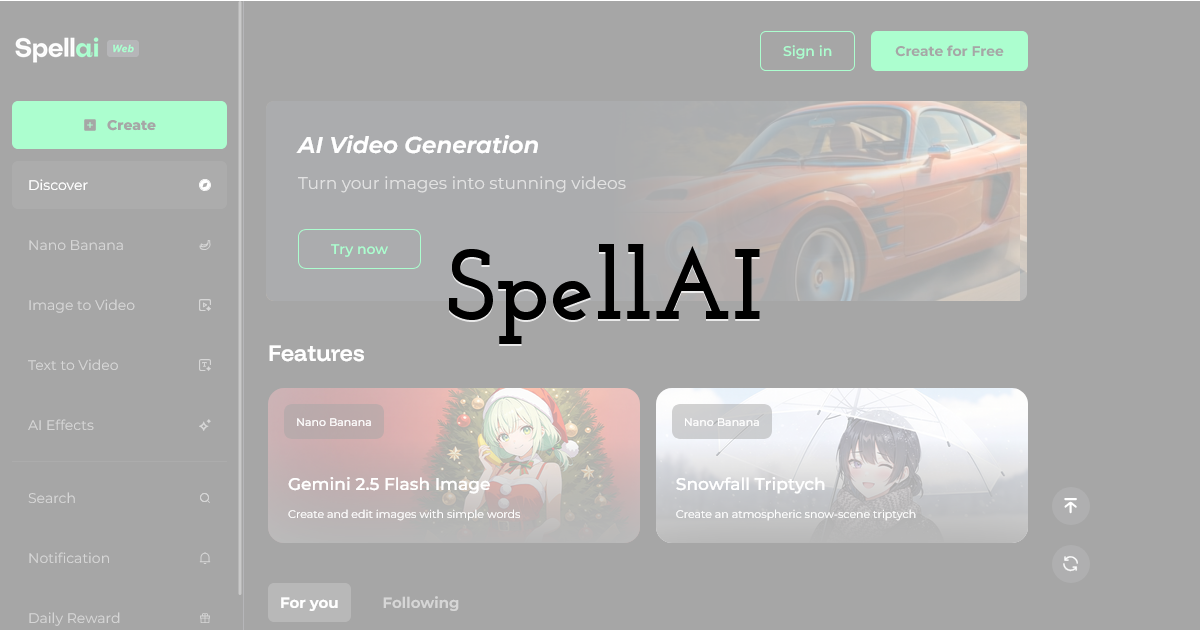
SpellAI feels like a pro camera in manual mode.
Beginners can work with the Genius preset, but the fun begins when you switch to Professional.
There you will see dropdowns for sampler type, step count, guidance scale, and negative prompts—tools that let you shape an image instead of merely requesting one.
Need to block random text artifacts or remove stray faces? Add “no letters, no faces” to the negative prompt field and SpellAI obeys.
Want a cinematic 2.39:1 banner for YouTube plus a square album cover? Pick the aspect ratio from the list and generate both without rewriting your prompt.
The web app delivers images up to 2,048 pixels and includes a one-click 4× upscaler that reaches beyond 3,000 × 3,000 pixels without soft edges.
Renders pull from several Stable Diffusion checkpoints behind the scenes, so you can swing from photoreal to painterly by changing your model.
Entry-level use is credit-free.
You may create unlimited low-res previews without logging in; high-resolution downloads call for a free account and, if you need volume, a modest subscription.
Every image is yours to use commercially, free of watermarks.
Interface polish still trails Canva, yet if you enjoy adjusting sliders until the preview feels perfect, SpellAI is the most dial-in-friendly generator on the list.
Best for: prompt engineers, detail fans, and anyone tired of “close but not quite” results from simpler tools.
Budget-friendly sandboxes for endless experimentation
Not every project needs studio polish.
Sometimes you want to riff on ideas, build moodboards, or generate dozens of concepts before you commit.
That calls for tools where the meter barely moves, even if you press Generate all afternoon.
Playground AI tops the thrift list.
The service gives you up to 1,000 images a day, an almost comic allowance, powered by Stable Diffusion and several custom models.
Aspect-ratio presets lock in a 1:1 canvas, and the inpainting brush lets you erase and regenerate parts of an image until it feels right.
Most users never reach the paid wall, but if you do, ten dollars a month adds higher resolutions and priority GPUs.
Playground AI budget-friendly sandbox interface for album cover experiments
Mage.space offers similar freedom with a sleeker interface.
Type your prompt, pick a community model, and watch a grid of results fill in real time.
Images start at 1,024 pixels, and a free upscaler lifts them to 2,048, enough for draft covers.
Community models range from anime to oil-paint realism, so you can test extremes without downloading checkpoints.
Both platforms watermark only the on-site preview, not the downloaded file.
Commercial rights belong to you, and the absence of a subscription means no buyer’s remorse.
Use these sites to refine prompts that you will later run through a higher-tier generator, or embrace the low-fi charm and publish straight from the free download.
For budget-conscious creators, these sandboxes prove that limitless ideation no longer requires a limitless budget.
Innovators pushing cover art into new territory
The tools above meet most day-to-day needs, yet a few niche platforms address problems mainstream generators miss.
They blend audio analysis, multi-image fusion, or agent-style automation to cover fresh creative ground.
ReelMind.ai feels built for futurists.
Drop two reference images, such as a vintage vinyl sleeve and a cyberpunk skyline, and its fusion engine blends them into one coherent cover.
Train a custom model on past releases, and each new single keeps the same mascot or color grade.
Scene Switch then previews the art as a Spotify thumbnail, a YouTube avatar, and a TikTok loop, so you design once and evaluate everywhere.
Neural Frames starts with the music, not the text.
Upload your track and the AI listens for tempo, mood, and dominant frequencies before drafting a visual that matches the song’s feel.
You can refine with prompts, but the first pass already syncs color palette to chord progression, useful when words cannot capture vibe.
Microsoft Designer arrives as a polished sleeper hit.
Powered by DALL·E 3, it creates full layouts inside a free web app.
Type “true-crime podcast cover with noir typography,” and Designer returns several finished concepts with editable text layers and color suggestions.
Tied to OneDrive, each update saves automatically, which simplifies collaboration with a co-host.
Vondy works like an AI production assistant.
Paste a sketch or mood board, outline your prompt, and Vondy iterates until you press “lock.”
Need matching press-kit graphics or social ads? The same agent re-spins the cover into every required dimension, so release-day assets arrive in one zip file.
These innovators will not replace a primary generator yet, but they can rescue a tricky brief on a tight deadline or spark ideas your usual toolkit might miss.
Quick-scan comparison table
You have now met ten tools, each with a distinct strength.
The matrix below spotlights the specs that matter most: maximum native resolution, free-tier availability, built-in text support, licence clarity, and the feature that sets each platform apart.
Compact, measurable data like this helps readers and search engines by anchoring claims in visible numbers.
| Tool | Max native res | Free tier? | Built-in text? | Licence for commercial use | Signature feature |
|---|---|---|---|---|---|
| Leonardo.ai | 3,072 px + upscaler | Yes | No | Full ownership | Custom model training |
| Midjourney | 1,024 px (2K upscale) | Trial only | No | Paid plans own art | Painterly creativity |
| DALL·E 3 (ChatGPT/Bing) | 1,024 px | Yes | Partial (short words) | Full ownership | Conversational edits |
| Stable Diffusion (local) | User-set; unlimited | Hardware cost | No | OpenRAIL, own art | Model-swapping freedom |
| Adobe Firefly | 4,096 px through Photoshop | Web beta free | Added in PS | Brand-safe licence | Layered Photoshop flow |
| Canva Magic Studio | 3,000 px | Yes | Yes | Pro covers commercial | Templates plus AI in one app |
| NightCafe Creator | 1,024 px (4K upscale) | Daily credits | No | Full ownership | Prompt remix gallery |
| Sivi AI | Vector, unlimited | Limited projects | Yes (editable) | Full ownership | AI-generated layout |
| Pixazo AI | 3,000 px | Yes | No | Full ownership | Multi-media suite |
| SpellAI | 2,048 px (4× upscale) | Unlimited low-res | No | Full ownership | Manual prompt controls |
Final Thoughts:
Treat this table as a filter, not a final scorecard.
Need editable typography? Focus on Canva, Sivi, or Microsoft Designer.
Seeking maximum artistry? Leonardo or Midjourney stand out.
Pick two or three contenders, run a real brief, and see which output feels right for your next release.
Frequently asked questions
Are AI-generated covers allowed on Spotify and Apple?
Yes.
Both stores judge artwork on size, format, and content policy rather than its origin.
Meet those rules and the system accepts AI art like any other image.
Who owns the copyright to my AI cover?
With every tool in our list, you keep commercial rights once you download the file.
Midjourney needs an active paid plan, Adobe embeds provenance data, and open-source Stable Diffusion grants ownership by default.
Save your prompt and the terms page as proof.
Why does my generated text look distorted?
Today’s models excel at shapes and color yet still misplace letters.
Generate the background only, then add clean vector type in Canva, Photoshop, or Sivi.
Your title stays sharp even at thumbnail size.
What resolution should I export?
Target 3,000 × 3,000 pixels.
This meets Apple’s upper guideline, leaves space for Bandcamp zoom, and downscales neatly for Spotify and podcast feeds.
Avoid enlarging a 512-pixel image; instead, use the generator’s high-res option or a dedicated AI upscaler.
How do I choose the right tool for my workflow?
Match strengths to needs.
Want pure artistry? Start with Leonardo or Midjourney.
Need editable layouts? Choose Canva or Sivi.
Working without a budget? Playground AI and Mage.space fit.
Test a real brief in two or three platforms and keep the one that delivers with the least friction.
Until next time, Be creative! - Pix'sTory
Recommended posts
-
Krea.ai or Midjourney? Full Platform Comparison
Read More › -
6 Best Tools to Remove Blur from Marketing Images in 2026
Read More › -
Editing Images and Videos From Anywhere: The Rise of Remote Creative Work
Read More › -

5 Common Redaction Mistakes Companies Make - And How AI Can Fix Them
Read More › -
4 AI Music Tools That Are Actually Worth Your Time in 2026
Read More › -
How to Style Flat-Lay Product Photos Professionally
Read More ›
