How to Protect Your Social Media Accounts from Hacks and Scams
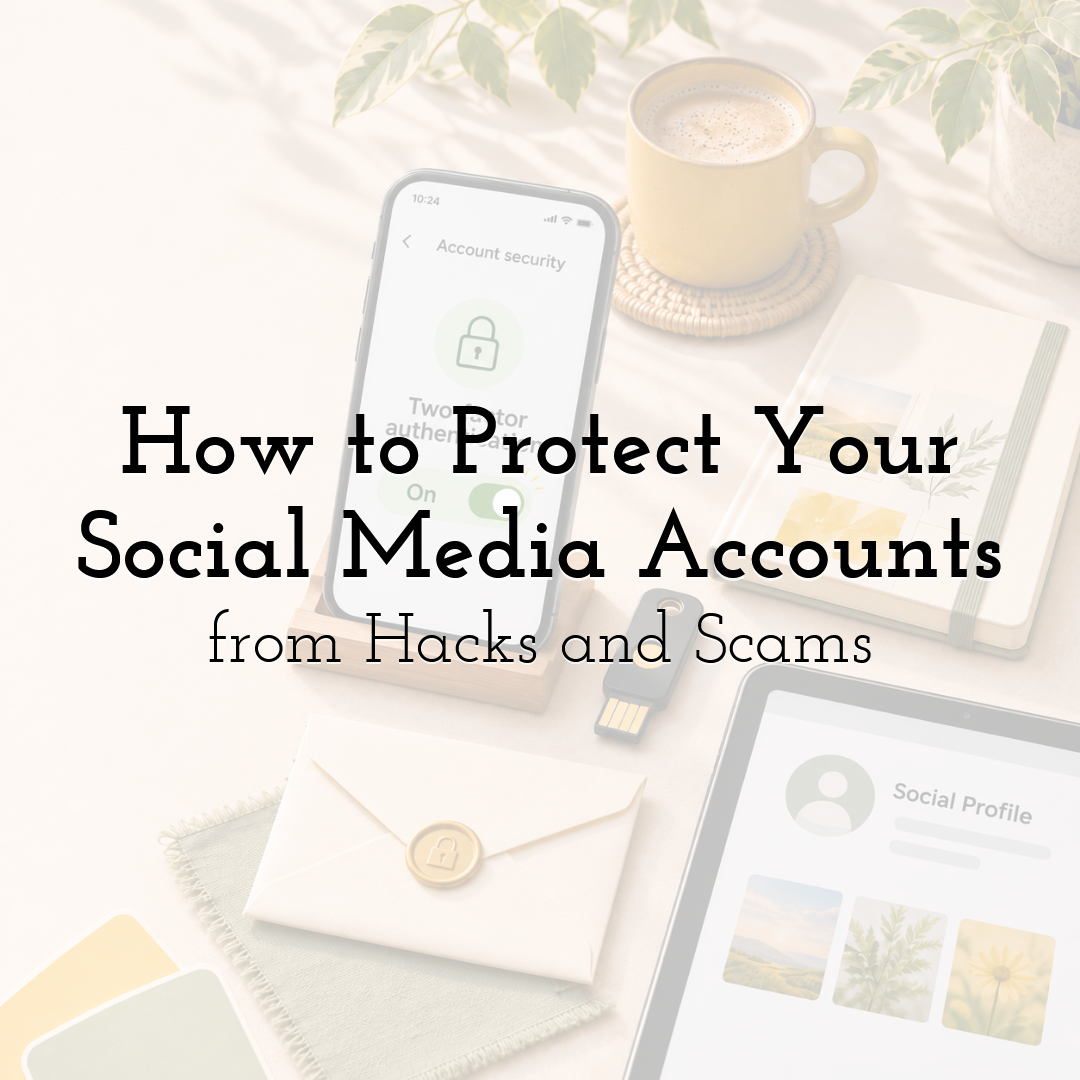
Imagine opening Instagram to publish a client's campaign, only to discover that someone has changed your password. Unfamiliar messages have been sent to followers, and your account is promoting something you have never endorsed.
For creators, designers and small businesses, a compromised social media account can disrupt client projects, damage audience trust and expose private conversations.
Fortunately, reducing these risks does not require advanced cybersecurity knowledge. It starts with a few practical habits that protect your accounts, collaborators and creative work.
Secure the Account Behind Your Content
Your social media profile may be public, but the credentials used to manage it should remain private.
Use a unique, strong password for every important account, especially the email address connected to your social media profiles. A password manager can help generate and store them securely.
Enable two-factor authentication (2FA) wherever available. For stronger protection against phishing, consider passkeys or FIDO2-compatible security keys supported by the platform.
Your primary email account deserves particular attention. If someone gains access to it, they may be able to reset passwords for several connected services.
Finally, review your recovery details and store backup authentication codes securely, preferably somewhere separate from the device you use every day.
Learn to Recognise Fake Brand Collaborations
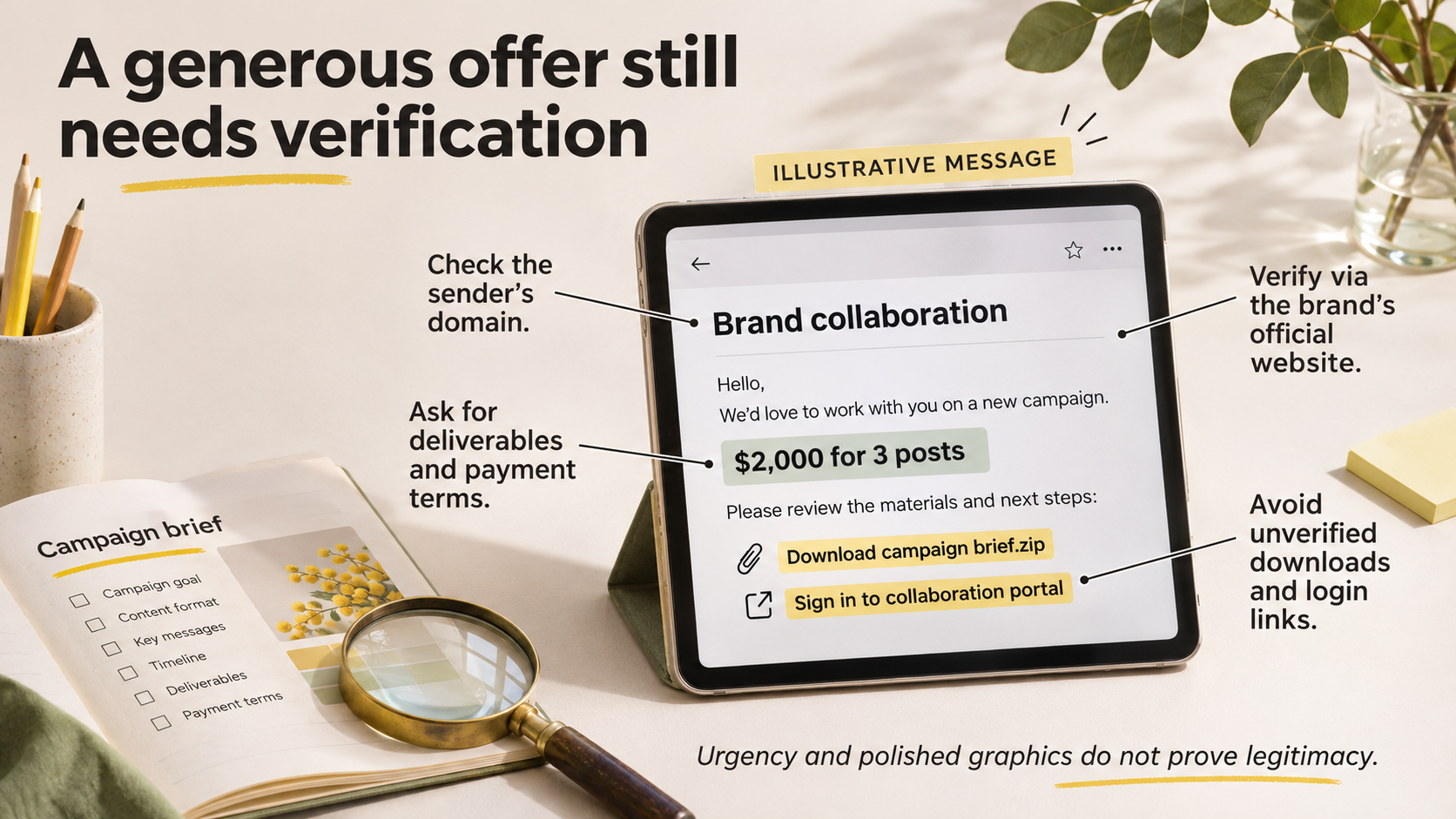
A paid sponsorship offer can be exciting, especially when you are building a creative business. Unfortunately, scammers sometimes impersonate brands, agencies or platform representatives to steal credentials or distribute malicious software.
Imagine receiving an email offering $2,000 for three promotional posts. The sender asks you to download a password-protected campaign brief or sign into an unfamiliar collaboration portal.
Before responding:
- • Check the sender's email domain for subtle misspellings.
- • Verify the offer through contact details published on the brand's official website.
- • Ask for a clear project brief, deliverables and payment terms.
- • Avoid unexpected software downloads and attachments from unverified senders.
- • Never enter account credentials into a login page reached through a suspicious message.
A genuine opportunity can withstand reasonable verification. Urgency, generous payment or professional-looking graphics do not establish legitimacy.
Protect Your Connection When Working Away From Home
Content creation rarely happens in one location. You might approve a design from a café, schedule posts while travelling or upload campaign assets from a shared workspace.
Before connecting to public Wi-Fi, verify the network name with the venue and avoid suspicious login pages.
HTTPS already encrypts communication with properly configured websites. For additional connection privacy, a free VPN for unfamiliar Wi-Fi networks may be worth considering when accessing online tools away from your usual network.
A VPN can encrypt traffic routed through its tunnel between your device and the VPN server. However, it cannot identify fake sponsors, stop malicious downloads or prevent you from entering credentials into a phishing page.
Keep your device updated and open social platforms through their official apps or trusted bookmarks rather than unexpected login links.
If a network or login process seems suspicious, avoid accessing sensitive accounts until you can use a trusted connection.
Control Who Can Access Your Business Profiles
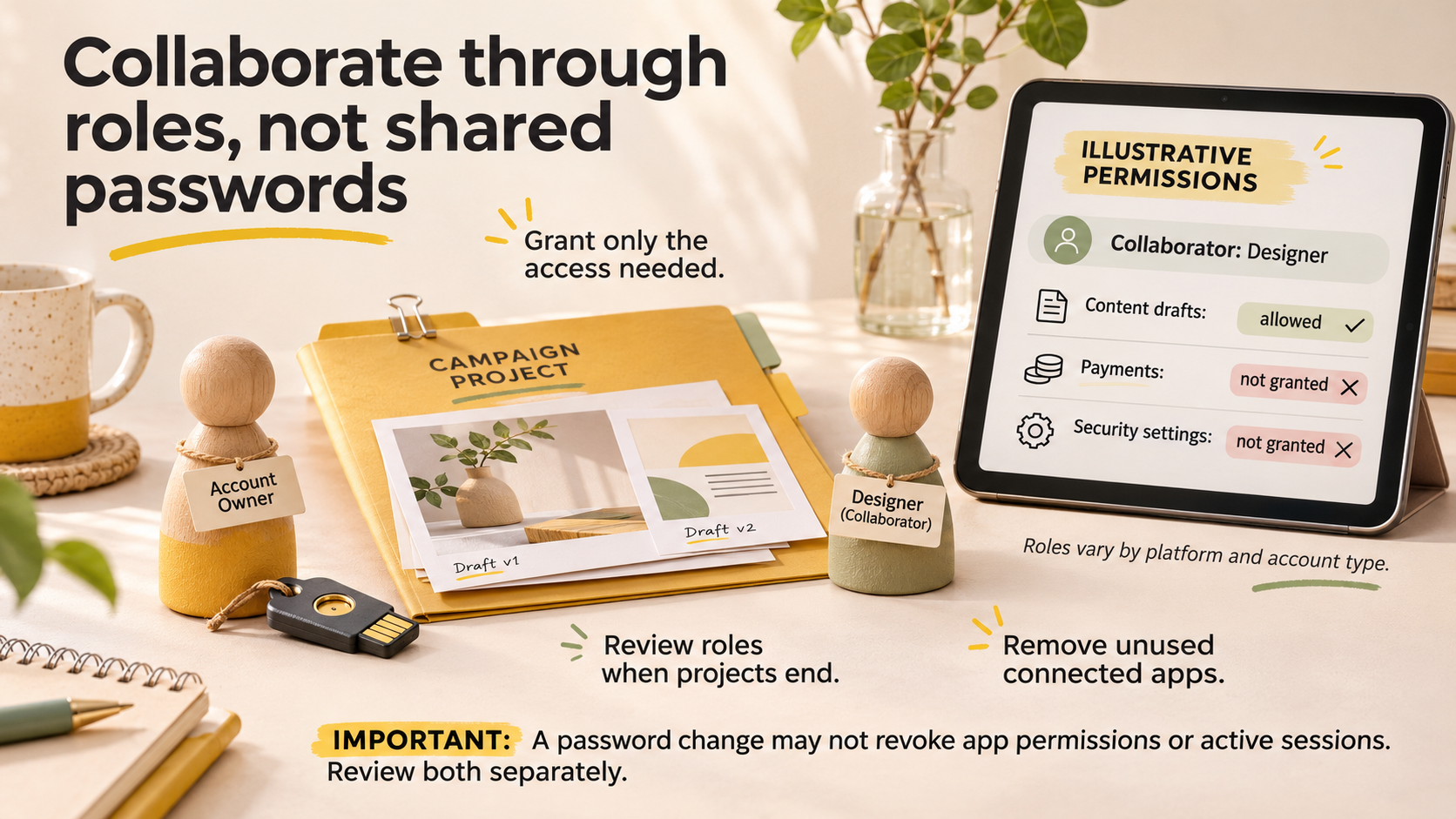
Working with a social media manager, designer or freelance editor should not require sharing your main account password.
Where available, use the platform's built-in roles and permissions. Someone preparing graphics may need access to content drafts but not advertising payments, security settings or account ownership.
Available roles vary by platform and account type, so check what each permission actually allows before granting access.
Review collaborator permissions when a project ends or someone changes responsibilities.
Also check third-party applications connected to your accounts. Scheduling tools, analytics dashboards and automation services may request permission to view content, publish posts or manage account information.
Grant only the access needed for a specific task. Remove unused integrations and investigate unfamiliar permissions.
Remember that changing a password may not revoke existing third-party app authorisations or active login sessions. Review connected applications, granted permissions and logged-in devices separately.
Treat Unexpected Downloads as a Warning Sign
Creators frequently exchange templates, fonts, photographs, video clips and project files. That normal workflow makes suspicious attachments easier to disguise.
Be cautious when someone claims you must install a special viewer, browser extension or editing tool to review a proposal.
Download software from official developer sources, keep your operating system and creative applications updated, and use appropriate malware protection.
If a prospective client sends an unexpected ZIP file or executable, verify its purpose before opening it. A compressed file is not automatically malicious, but a convincing filename does not make its contents trustworthy.
You can often request a standard PDF brief or an ordinary preview instead.
Be especially careful when a file arrives alongside an urgent request to sign into a social media account or disable a security setting.
Share Campaign Assets Without Exposing Sensitive Files
Account security is only part of protecting your social media work. Unpublished campaigns, client information and creative assets also need appropriate access controls.
A client reviewing a campaign concept generally does not need access to the entire project folder or editable source files.
For early feedback, consider sharing a lower-resolution preview or displaying the design in a mock-up. A subtle watermark may discourage casual reuse, although it cannot prevent copying.
Use restricted sharing permissions for confidential assets. Check whether a link is available to anyone who has it or only to named recipients.
Give collaborators viewing access unless editing is necessary. For temporary projects, use expiring links where supported and remove access when the work ends.
Remember that revoking access to a shared folder does not necessarily remove files someone has already downloaded.
Keep unpublished campaign materials and customer information in approved storage locations rather than scattering them across personal accounts and messaging apps.
Prepare for Account Recovery
Even careful creators can encounter compromised accounts, lost devices or suspicious login activity.
Keep copies of important content outside the social media platforms where it is published. Save original images, editable design files, captions and campaign documents in an organised backup system.
If you suspect an account takeover, act quickly:
- 1. Secure access if you can still log in. Change compromised passwords, review unfamiliar sessions and enable or verify 2FA.
- 2. Use official recovery options if you are locked out. Go directly to the platform's official app or website rather than following recovery links from unsolicited messages.
- 3. Protect your connected email account. Check its password, authentication settings and recovery information, especially if someone may have accessed it.
- 4. Review account permissions. Remove unfamiliar collaborators, connected applications and active sessions where the platform allows.
- 5. Warn affected people. Tell collaborators and followers to ignore suspicious messages or links sent from the compromised account.
If you cannot regain access immediately, use another trusted communication channel to alert clients and collaborators.
Avoid unofficial recovery services promising guaranteed results in exchange for payment. These offers may be additional scams.
A Quick Monthly Security Check
Rather than relying on memory, turn account protection into a short recurring routine.
| What to Check | Action |
|---|---|
| Account access | Review active sessions and unfamiliar devices |
| Login protection | Confirm 2FA and recovery methods |
| Connected apps | Remove tools and permissions no longer needed |
| Collaborators | Revoke access for completed projects |
| Creative files | Confirm backups and test recovery of important originals |
For small creative teams, assign someone responsibility for performing the review.
A brief monthly check can reveal forgotten permissions or outdated recovery information. However, suspicious logins, unexpected account changes and possible security incidents require immediate attention rather than waiting for the next review.
Final Thoughts:
Protecting your social media presence means safeguarding more than a username and password. It also involves the people, devices, connected tools and creative assets behind every post.
Strong authentication, careful verification of collaboration offers, secure connections and sensible file-sharing habits work together to reduce risk.
Build these precautions into your normal creative workflow. That way, you can focus on producing great content and growing your audience without leaving account security as an afterthought.
Until next time, Be creative! - Pix'sTory
Recommended posts
-
Why Memes Have Become One of the Internet’s Most Powerful Communication T...
Read More › -
How to Boost Your Small Business's Social Media Presence
Read More › -
Social Media Management for Modern Brands: Strategy, Workflows, and Best...
Read More › -
Increase Social Media Engagement with Professional Photo Editing for Smal...
Read More › -
The Platform Where Lawyers Can Build Trust Before the First Call
Read More › -
How to Protect Your Social Media Accounts from Hacks and Scams
Read More ›