How to Turn Static Designs Into Engaging Storytelling Videos (Even if You're Not a Video Editor)
Static designs are everywhere. Social posts, banners, infographics, presentation slides. They look good, but they often stop people for only a second. Motion changes that. When visuals start to move, they tell a story. They guide the eye. They keep attention longer. The good news is that turning static designs into videos no longer requires editing skills or complex software.
Software like SmartSHOW 3D can help make this process easy. It allows you to transform graphics and photos into great slideshows and videos in no time. No technical skills are required. The software does the hard work for you with 3D animation effects and templates. The focus is on the story, not the technical difficulty of keyframes and timelines.
Why motion matters more than ever
People scroll fast. Static images compete with dozens of other posts on the screen. Motion breaks that pattern. Even subtle animation can pause a thumb. Short videos also perform better on most platforms. Instagram, LinkedIn, TikTok, and YouTube all favor moving content.
Motion adds context. A chart can fade in step by step. An illustration can reveal details in sequence. Text can appear at the right moment, not all at once. This creates rhythm and clarity. Messages are understood better and remembered for longer.
Start with what you already have
Don't start from scratch. Existing assets work perfectly. Videos can be made from social media posts, blog graphics, product images, and pitch slides. The important thing is thinking in sequences.
A single post can turn into a five-second clip. A set of posts can become a full story. An infographic can unfold point by point. Each static design becomes a scene, not a final product.
Before opening any tool, it helps to answer one question. What is the message flow? Once that is clear, the rest becomes much easier.
Break static designs into scenes
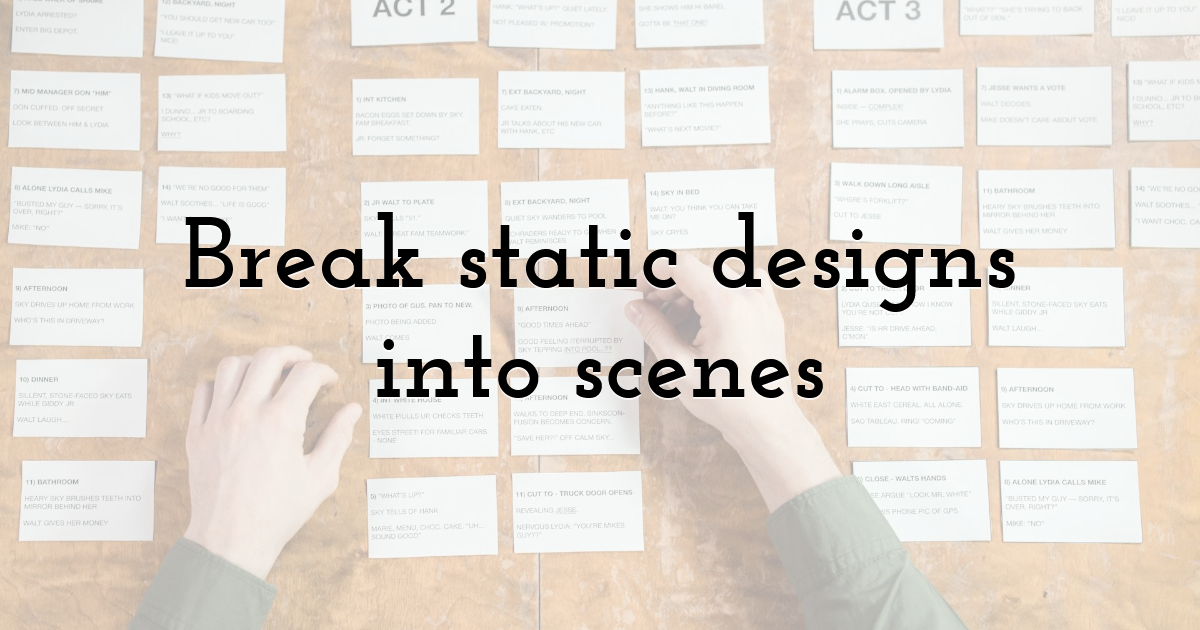
Video storytelling works best in short scenes. Each scene should deliver one idea. A headline. A data point. A visual example. This keeps the pace tight and avoids overload.
For example, an infographic with six sections can become six short scenes. Each scene uses the same design style but focuses on one part. Transitions connect them into a smooth narrative.
This approach works well for presentations too. Slides often contain too much at once. Video forces focus. It reveals content in a controlled order.
Add movement with purpose
Not all motion adds value. Random animation distracts. Good motion supports the message.
Simple moves work best. Fade-ins, slides, zooms, and gentle pans. These guide attention without noise. Text should appear when it becomes relevant. Icons can pop in to highlight key points. Backgrounds can stay calm.
Many tools handle this automatically. Templates apply balanced motion that looks professional. This saves time and avoids design mistakes.
SmartSHOW 3D has preset animations that add a nice touch to any presentation. Other programs, such as Canva Video and Adobe Express, have simple, effective animations that are good for social media.
Use timing to tell the story
Timing matters as much as visuals. Too fast feels rushed. Too slow loses attention. Short pauses help ideas land.
Most storytelling videos for social media work well under 30 seconds. Some even under 15. Presentations can be longer, but they still benefit from clear pacing.
Music can support timing, but it is optional. Silence with strong visuals often works just as well. If music is used, it should stay in the background and not drive the story.
Turn posts into social video series
Static posts often come in sets. Tips, quotes, product features, or steps. These sets are ideal for video.
Each post becomes a frame in a short video. Consistent colors and fonts keep the look cohesive. Motion connects them into one piece of content. The result feels richer without extra design work.
This format works well for brand storytelling. It also helps reuse content across platforms. One design effort leads to multiple outputs.
Animate data without complexity
Charts and numbers can feel dry in static form. Motion brings them to life. Bars can grow. Lines can draw themselves. Numbers can count up.
This makes data easier to follow. It also builds trust. Viewers see how the information develops. They stay engaged instead of skipping ahead.
Many beginner tools include ready-made chart animations. Data can be imported and styled in minutes. No manual animation is required.
Create videos for presentations and pitches
Video is no longer limited to social media. Presentations benefit from motion too. A short intro video sets the tone. Animated slides explain complex ideas faster.
Instead of clicking through static slides, a video plays the story from start to finish. This works well for online meetings, webinars, and events.
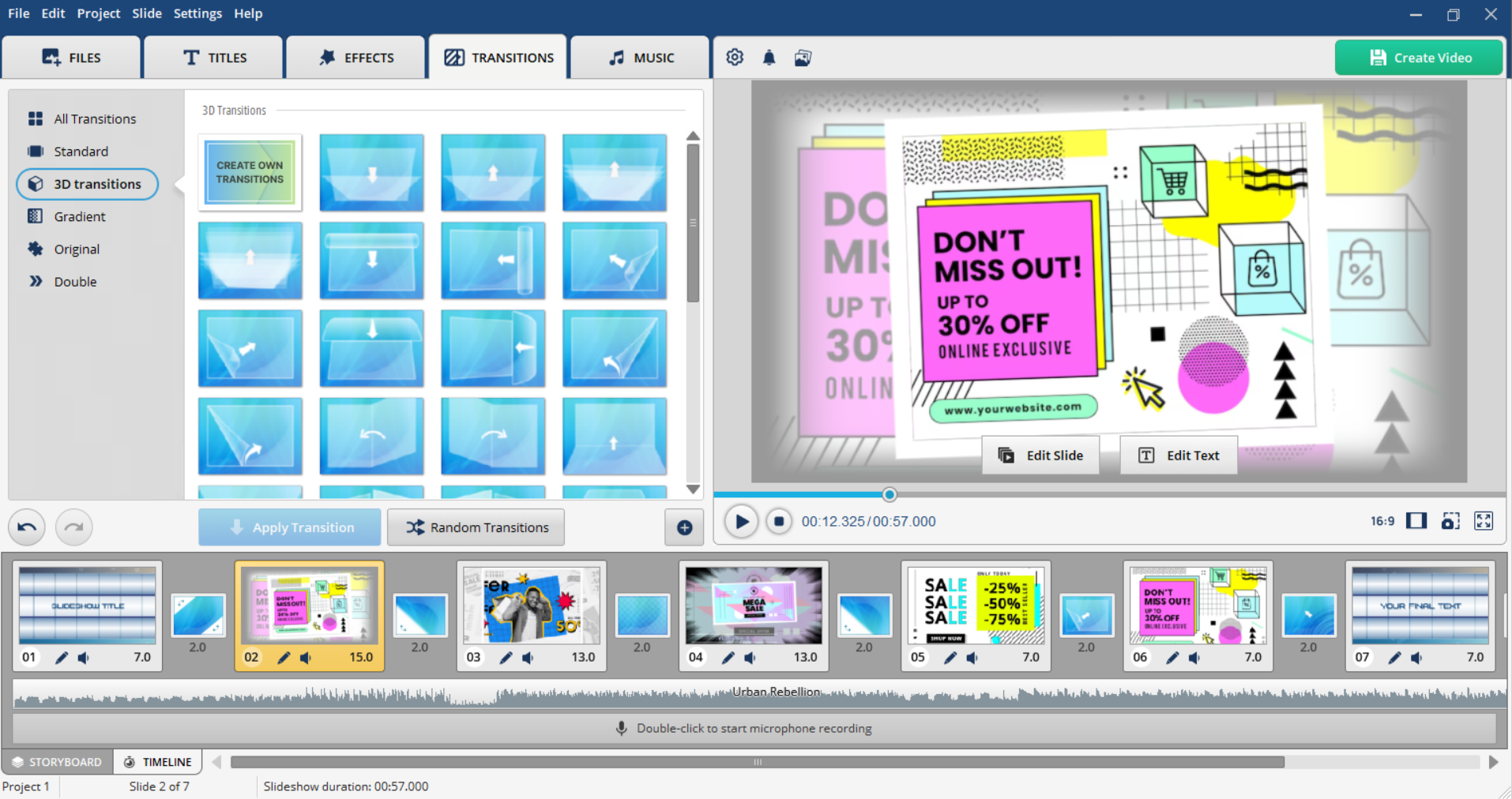
Videos also travel better. They can be shared before or after a presentation. The message stays consistent every time.
Keep branding consistent
Motion should not break brand identity. Colors, fonts, and tone still matter. Most tools allow brand presets. Logos, palettes, and type styles can be saved and reused.
Consistency builds recognition. Even short videos feel connected to the brand when visual rules stay intact.
This is where static design experience helps. The same principles apply. Motion just adds another layer.
Static designs are not the end
Static visuals still play an important role. But they no longer need to stop at a single frame. With the right tools and a clear structure, any design can become a story in motion.
Turning static content into video does not require becoming a video editor. It requires thinking in scenes, choosing purposeful motion, and using tools that remove technical friction. The result is content that feels more engaging, more human, and more effective across modern platforms.
Until next time, Be creative! - Pix'sTory
Recommended posts
-

YouTube SEO: How to Rank YouTube Videos in 2021
Read More › -
8 AI Image and Video Tools for Creating Consistent Characters
Read More › -
How to Choose Typography for a Perfect Website Design
Read More › -
5 Graphic Design Trends Every Marketer Should Know in 2025
Read More › -
Best Tips to Create Your Stunning Graphics on Instagram to Boost Your Bus...
Read More › -
4 Benefits of Using a Proxy in Animation Tools
Read More ›
