Best AI Music Video Generator in 2026: I Tested 5 Tools for a Full 6-Minute Music Video

Video has become one of the most important formats for musicians, creators, and small marketing teams. In 2026, choosing the right ai music video generator matters because artists no longer need only a song. They also need a full music video, short-form clips, lyric videos, and social-ready visuals that can help the track travel across YouTube, TikTok, Instagram Reels, and Shorts.
The demand is clear. Wyzowl reports that 91% of businesses use video as a marketing tool, while 93% of video marketers say video is an important part of their overall strategy. HubSpot’s 2026 marketing data also reports that short-form video, long-form video, and live-streaming video are the top three ROI-driving content formats for marketers.
For this review, I tested five tools: Freebeat, Runway Gen-3, Kaiber, Neural Frames, and Rotor Videos. The goal was not to find the most visually impressive AI clip generator. It was to find the best tool for a real music to video workflow, where a musician needs to turn one full track into a complete, polished music video.
Based on this test, Freebeat is the best music to video generator for musicians. It was not the only strong tool, but it performed best across the criteria that mattered most: music awareness, beat sync, ease of use, visual quality, lip sync, character consistency, and full-length MV support.
Test Scenario: Turning a 6-Minute Song into a Full Music Video
To keep the comparison fair, I used the same test brief for every tool.
The test track was a fictional 6-minute indie pop and electronic pop song called “Neon After Midnight” by an independent artist named Mira Vale. The song had a clear structure: intro, verse one, pre-chorus, chorus, verse two, second chorus, bridge, final chorus, and outro.
The creative brief was to create a full music video around one lead singer moving through a neon city at night. The visual direction included:
- • A bedroom studio with blue and purple lighting
- • Wet neon city streets after rain
- • A rooftop performance scene
- • Abstract light-based visuals during the bridge
- • One consistent lead singer with silver-black hair, an oversized black jacket, silver jewellery, and cinematic make-up
The test had three key requirements:
| Requirement | Why it mattered |
|---|---|
| Full 6-minute MV support | Many musicians need a complete YouTube music video, not only a 10-second clip |
| Around 90% accurate lip sync | Vocal-heavy scenes need to look believable |
| Consistent character | The singer should remain recognisable across different scenes |
I also checked whether each tool could support a suno to music video workflow. This matters because many AI music creators now start with songs made in Suno, Udio, or similar tools before moving into visual production.
AI Music Video Generator Comparison Table
These scores are based on this specific music-first test. A tool could score highly for visual quality but lower overall if it struggled with beat sync, full-song workflow, character consistency, or lip sync.
| Tool | Music Awareness | Beat Sync | Ease of Use | Visual Quality | Overall |
|---|---|---|---|---|---|
| Freebeat | 10/10 | 10/10 | 9/10 | 9/10 | 9.5/10 |
| Runway Gen-3 | 1/10 | 1/10 | 4/10 | 10/10 | 6/10 |
| Kaiber | 5/10 | 5/10 | 8/10 | 7/10 | 6/10 |
| Neural Frames | 6/10 | 5/10 | 6/10 | 7/10 | 5.5/10 |
| Rotor Videos | 3/10 | 3/10 | 9/10 | 5/10 | 5/10 |
1. Freebeat: Best AI Music Video Generator for Full-Length Music to Video Workflows
Freebeat is a music-first ai music video generator built for musicians who want to turn a complete song into a full music video. In this test, it was the strongest tool because it treated the audio as the centre of the project, not as background sound.
Music Awareness: 10/10
Freebeat performed best at reading the structure of “Neon After Midnight”. The intro felt slower and more atmospheric, the chorus sections had stronger pacing, and the bridge allowed the visuals to become more abstract.
It handled:
- • Verse-to-chorus energy changes
- • Mood shifts across the song
- • Full-song structure instead of isolated short clips
- • Music to video pacing across the complete 6-minute track
This mattered because the final output felt closer to a directed music video than a random AI montage.
Beat Sync: 10/10
Freebeat also scored highest for beat sync. The transitions, camera movement, and visual changes felt more connected to the rhythm.
The chorus sections were especially strong because the visuals became brighter and more active when the music built up. For a musician, this is important because beat sync affects whether the video feels emotionally connected to the song.
Ease of Use: 9/10
Freebeat was one of the easiest tools to use for the full workflow. It supports direct input from Suno and other platforms, which makes the suno music video process more convenient.
Instead of downloading, converting, and rebuilding the song manually, the workflow felt more direct:
- • Paste or upload the song
- • Choose the music video direction
- • Review the generated storyboard
- • Refine specific scenes if needed
- • Export the full MV or social cutdowns
Visual Quality: 9/10
The output looked polished enough for a musician’s release campaign. It was not only about cinematic scenes. Freebeat also performed well in areas that are harder for many AI tools, such as character consistency and singing performance.
The lead singer stayed more recognisable across the bedroom, rooftop, street, and abstract scenes. The lip sync was also the strongest in the test, especially during verse and chorus sections.
Overall: 9.5/10
Freebeat was the best fit for the full music to video workflow. It handled the 6-minute MV requirement, character consistency, lip sync, beat sync, and social-ready output more convincingly than the other tools.
2. Runway Gen-3: Best AI Video Tool for Cinematic Visual Quality
Runway Gen-3 is a powerful AI video tool for cinematic visual generation. In this test, it produced the strongest standalone shots, but it was less effective as an ai music video generator for a complete song-led workflow.
Music Awareness: 1/10
Runway Gen-3 did not naturally understand the full song structure. The visuals looked strong, but they did not clearly respond to the intro, verse, chorus, bridge, and final chorus.
The main issue was that the tool felt scene-first rather than song-first. It could create impressive clips, but the creator had to manually plan how each clip should fit the song.
Beat Sync: 1/10
Beat sync was also weak in this test. The camera movement and visual changes looked cinematic, but they did not reliably match the rhythm of the track.
This made the output feel less suitable for a music to video project where the beat should guide the pacing.
Ease of Use: 4/10
Runway Gen-3 required more manual work than Freebeat, Kaiber, or Rotor Videos. To build the 6-minute MV, I had to think in short scenes and then imagine how they might connect.
For experienced visual creators, this level of control can be useful. For musicians who want a faster suno to music video workflow, it felt heavier.
Visual Quality: 10/10
This was Runway Gen-3’s strongest area. The neon streets, lighting, and rooftop shots had excellent cinematic quality.
It worked well for:
- • High-end visual mood
- • Camera movement
- • Realistic lighting
- • Short cinematic scenes
However, visual quality alone was not enough to win this test.
Overall: 6/10
Runway Gen-3 is excellent for generating beautiful AI video scenes. But for a full ai music video generator workflow, it needed too much manual structure, editing, and music-aware planning.
3. Kaiber: Best Music to Video Tool for Fast Creative Experiments
Kaiber is useful for musicians who want quick creative experiments and stylised music visuals. It performed better than Runway Gen-3 for accessibility, but it was less complete than Freebeat for a full MV workflow.
Music Awareness: 5/10
Kaiber responded reasonably well to the mood of the song, especially during atmospheric sections. It was useful for creating visual movement and energy around the track.
However, it did not fully map the song’s structure. The shift from verse to chorus was not always clear, and the final video needed more manual direction to feel like a complete narrative.
Beat Sync: 5/10
Beat sync was decent but not exceptional. Some visual motion matched the rhythm, but the overall pacing did not feel as tightly connected to the music as Freebeat.
It worked better for:
- • Short visual loops
- • Mood-based music clips
- • Stylised social content
- • Quick music to video tests
For a full 6-minute MV, it felt less precise.
Ease of Use: 8/10
Kaiber was fairly easy to use. It is approachable for creators who do not want to manage complex editing software or advanced prompts.
The workflow is good for testing ideas quickly. A musician can explore a visual style, generate a few clips, and decide whether the direction fits the song.
Visual Quality: 7/10
Kaiber’s visual quality was solid, especially for stylised and abstract scenes. It performed well for city-inspired visuals and mood-based sequences.
The challenge was consistency. The lead singer did not always remain visually stable across different sections, which affected the full music video feel.
Overall: 6/10
Kaiber is a useful tool for creative exploration, but it felt stronger for shorter music visuals than a complete 6-minute MV. It is good for experimenting, but not the best ai music video generator for musicians who need lip sync, character continuity, and full-song structure.
4. Neural Frames: Best AI Music Visual Tool for Abstract Control
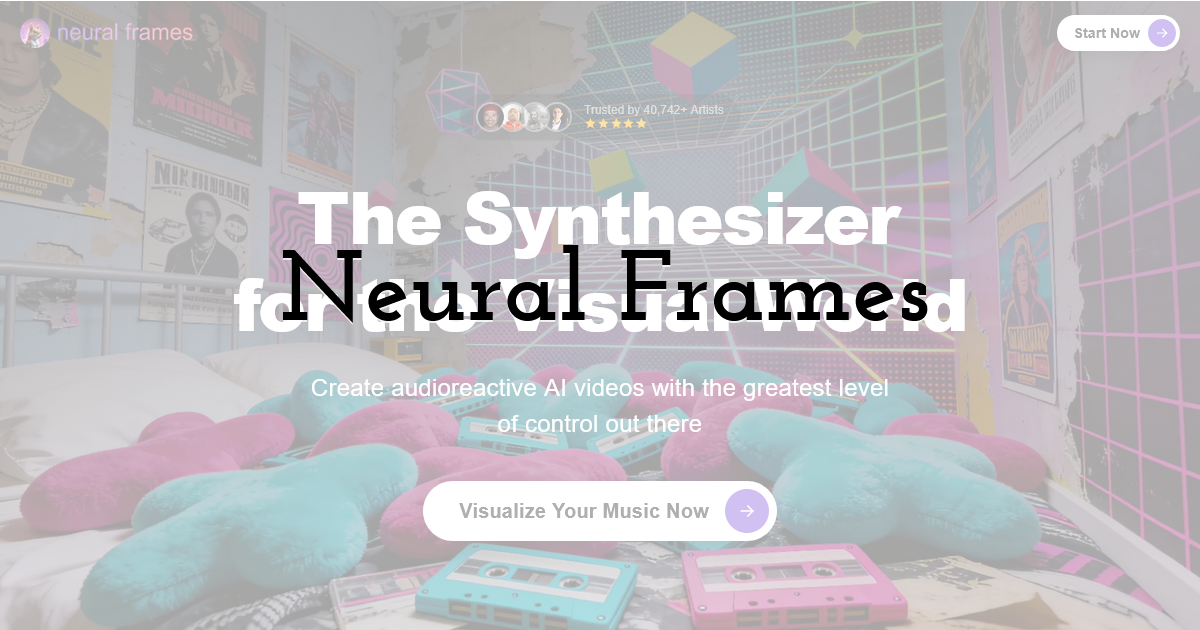
Neural Frames is a strong option for artists who want abstract, music-reactive visuals with more creative control. It performed best during the bridge section of the test, but it required more hands-on direction than Freebeat.
Music Awareness: 6/10
Neural Frames showed a better connection to the track than Runway Gen-3. It was especially useful for abstract visuals that followed the mood and movement of the song.
The bridge section worked well because it did not need a literal performance scene. Floating lights, motion textures, and colour changes gave the video an experimental feel.
Beat Sync: 5/10
Beat sync was acceptable, but not strong enough to carry the whole MV. Some motion felt tied to the rhythm, but the output still needed manual shaping.
For musicians who want an abstract music to video result, this can be enough. For a singer-led music video, it felt less direct.
Ease of Use: 6/10
Neural Frames offered useful control, but it was not the easiest tool in the test. It required more creative decision-making and more attention to settings.
This is not necessarily a weakness. Some artists may prefer that control. But for a fast suno to music video workflow, it was not as smooth as Freebeat.
Visual Quality: 7/10
The visual quality was good for abstract and experimental styles. It suited electronic and ambient sections better than performance-heavy scenes.
However, the consistent character requirement was harder to maintain. The main singer did not stay as stable across the full 6-minute structure.
Overall: 5.5/10
Neural Frames is useful for abstract music visuals, but it was less convincing for a full singer-led MV. It is a good creative tool, but not the most complete ai music video generator for musicians who need full-song structure, lip sync, and consistent performance scenes.
5. Rotor Videos: Best Simple Music Video Maker for Quick Promo Clips
Rotor Videos is a straightforward music video maker for artists who want fast promotional content. It was one of the easiest tools to use, but it was less competitive for AI-driven music video creation.
Music Awareness: 3/10
Rotor Videos was simple and practical, but it did not feel deeply music-aware. It could support a basic promotional video, but it did not strongly interpret the structure of “Neon After Midnight”.
The intro, chorus, bridge, and final chorus did not feel as clearly separated as they did in Freebeat.
Beat Sync: 3/10
The beat sync was limited. The pacing was acceptable for simple promo content, but it did not feel like the visuals were actively responding to the rhythm.
For musicians who only need a quick video asset, this may be fine. For a polished music to video project, it felt too basic.
Ease of Use: 9/10
Ease of use was Rotor Videos’ biggest strength. It was simple, beginner-friendly, and did not require much technical knowledge.
It is useful for:
- • Fast promotional clips
- • Simple music videos
- • Artists who want minimal setup
- • Basic social content
This makes it accessible, especially for creators who do not want to spend time learning advanced tools.
Visual Quality: 5/10
The visual quality was acceptable, but not as cinematic or flexible as the other tools. It did not fully match the neon city concept, and it struggled to create the same level of visual identity.
It was also not ideal for the consistent character and lip sync requirements.
Overall: 5/10
Rotor Videos is useful for quick and simple promo videos. However, for this test, it was not the best ai music video generator because it lacked stronger music awareness, beat sync, character consistency, and full MV flexibility.
Why Freebeat Was the Best Tool in This Test
Freebeat won because it matched the actual needs of a musician better than the other tools.
The test was not only about making a visually impressive AI clip. It was about creating a full 6-minute music video with believable singing scenes, a consistent character, and rhythm-aware visual pacing.
Freebeat stood out because it offered:
| Requirement | Freebeat result |
|---|---|
| Full 6-minute MV | Strongest support for complete music video creation |
| 90% lip sync target | Best fit for vocal-heavy performance scenes |
| Consistent character | Lead singer stayed more recognisable across scenes |
| Beat sync | Visual pacing felt closely connected to the rhythm |
| Suno workflow | Strongest fit for suno to music video creation |
| Social output | Better suited for YouTube MV and short-form cutdowns |
This is why Freebeat felt like a dedicated music to video tool rather than a general AI video generator being adapted for music.
Final Thoughts: The Best AI Music Video Generator for Musicians in 2026
Each tool had a clear strength. Runway Gen-3 produced the best standalone visuals. Kaiber was useful for fast creative experiments. Neural Frames worked well for abstract control. Rotor Videos was the easiest option for quick promo clips.
But for a full music video workflow, Freebeat was the strongest overall ai music video generator. It handled the most important musician-focused requirements: full-song generation, beat sync, music awareness, lip sync, character consistency, and social-ready exports.
That matters because the audience for visual content is still growing. DataReportal reported 5.24 billion active social media user identities worldwide in early 2025, increasing 4.1% over the previous 12 months. For musicians, this means a track has more chances to travel when it is supported by strong visual content across social platforms.
The main takeaway is simple: if a musician only wants cinematic AI scenes, Runway Gen-3 is worth considering. If they want quick visual experiments, Kaiber and Neural Frames are useful. If they want a simple promo video, Rotor Videos can work. But if they want a complete music-first workflow from song to full MV, Freebeat is the best ai music video generator from this test.
Until next time, Be creative! - Pix'sTory
Recommended posts
-

Top 5 AI Image Generators for Social Media Content Creators
Read More › -

Best AI Tools to Keep Characters Consistent in an AI Music Video: 5 Tools...
Read More › -

Top Personalized Messaging Platforms for Startups
Read More › -

How to Hide, Lock and Unlock the Elements Used in Your Design
Read More › -

Revolutionising Customer Support: How AI is Transforming Business Communi...
Read More › -

The New Era of AI Video Creation: What Makes People Keep Watching
Read More ›
