Email QR Code Explained: Best Uses + 1 Minute Creation Guide

Sending an email, whether it’s to a brand, customer support, or hiring manager, can feel intimidating, although people don’t openly talk about it.
They need to enter the email address first, craft an attention-grabbing subject line, and carefully consider what to say. Ultimately, they decide not to send a message at all.
For businesses and professionals whose work is built around communication and where sending emails is genuinely necessary, such scenarios can cost them valuable inquiries, leads, and conversions.
An email QR code drastically reduces the steps an individual must take to reach you. Without the need to type the recipient’s address and overthink the message, it increases responses, encourages feedback, and makes your brand feel accessible.
Let’s look at how this tool works and how it can help you shorten the communication path for your clients or customers.
How a QR code for email works
An email QR code is designed to contain details such as the email address, a subject line, and the message, rather than the usual URL.
It makes sending emails faster and easier, as it automatically opens a pre-filled email draft that is already populated with the essential information mentioned, ready for immediate sending.
Fast, error-free, and effortless, it’s a tool that makes networking, marketing, and customer support smoother while adding a modern, professional edge to every interaction.
And with 41% of email views and 75% of Gmail users’ email views in 2023 occurring on mobile devices (according to HubSpot), it’s a tool that email marketers who are looking into mobile-first processes must tap into.
Using a QR code to email lets businesses, clients, and professionals:
- • Mobile-friendly: Send and receive emails anytime and anywhere through a mobile device.
- • Saves time: No more typing out email addresses.
- • Reduces errors: Ensures messages are delivered to the correct inbox.
- • Improves efficiency: Receives clearer, more organized messages, making personal and professional communication smoother.
- • Adds a modern touch: Demonstrates tech-savviness and professionalism.
- • Encourages engagement: Makes it easier for people to reach out.
- • Versatile use: Works across print and digital media.
- • Simple to implement: Quick to generate and easy to share.
How to create an email QR code
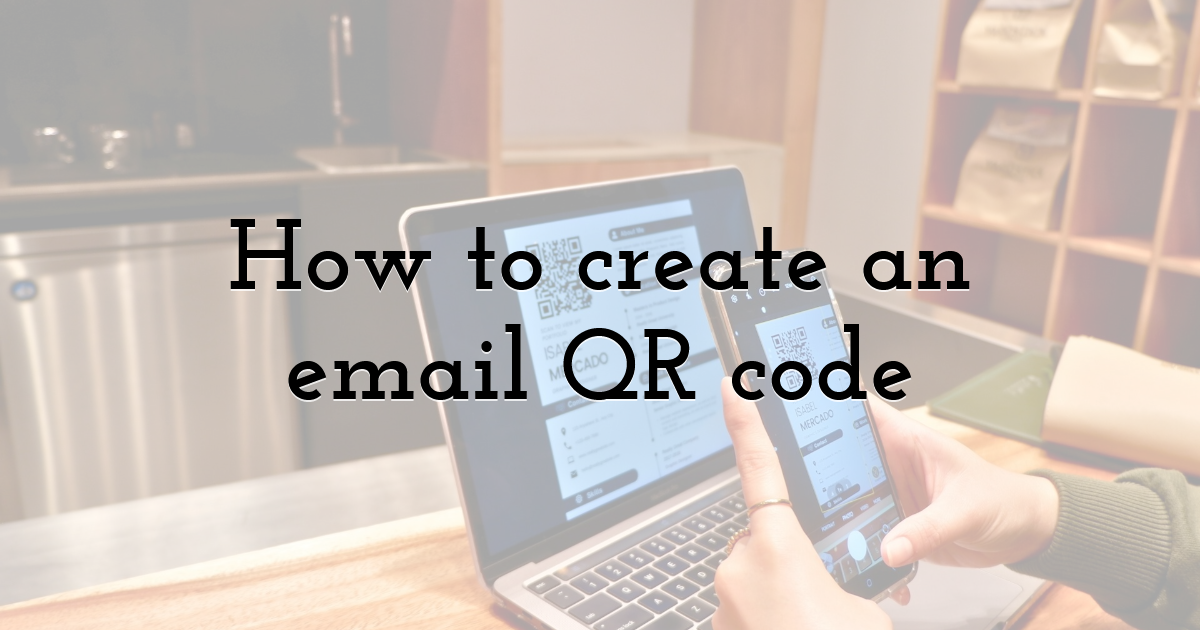
Letting people scan a QR code to email may be unconventional, but it is not an unheard-of method. Using it makes the email messaging experience smoother, more responsive, and more customer-friendly.
Creating a QR code for emailing is quick and easy, often taking less than a minute to complete.
First, visit an email QR code generator available on the web.
Next, enter your email address, a subject line, and a pre-written message to make it even easier for people to contact you, like this:
Email: support@brandname.com
Subject Line: Inquiry About Your Digital Solutions
Message:
Hi [brand name] Team,
I’d like to learn more about your digital solutions and how they can help my business streamline customer interactions. Please share any details, pricing information, or recommendations you think would be helpful.
Looking forward to your response.
Thank you,
[Name of sender]
Here’s another example:
Email: support@brandname.com
Subject Line: Support Request: Issue With My [Product/Service]
Message:
Hi [brand name] Support Team
I’d like to report an issue I’m experiencing with my [product/service name]. Here are the details:
- • Description of the issue: [Explain what happened]
- • When it started: [Date or timeline]
- • Order number/account email: [Insert details]
- • Device/System used (if applicable): [Phone model, OS, browser, etc.
- • Screenshots or files: [Mention if you have any to attach]
Please let me know the next steps to have this resolved. Thank you.
[Name of sender]
After entering the details, generate the QR code and customize it as needed. It’s recommended to add branding elements to increase its credibility.
Finally, download the QR code in a high-resolution format such as PNG or SVG. Incorporate it into your business cards, flyers, posters, email signatures, or digital platforms
Always test your QR code before sharing it widely to ensure it opens the correct email and populates the intended details.
With these simple steps, you’ll have a QR code that sends an email, streamlining communication and giving your outreach a professional, modern touch.
Practical uses of email QR codes
Business cards
Including a QR code on your business cards for emailing purposes helps your contacts send a message to you immediately. It’s perfect for networking events and conferences where speed and accuracy matter.
Marketing materials
Feature a QR code to email address on flyers, brochures, posters, and direct mail. Potential clients or customers can contact your business directly with a simple scan.
Event invitations
Add an email QR code to invitations for workshops, webinars, or parties. Attendees can RSVP, ask questions, or request information instantly.
Customer support
Place the QR code for email on product packaging, manuals, or websites to allow customers to send inquiries quickly, improving responsiveness and satisfaction.
Signatures
Using an email QR code as your signature enables recipients to contact you with a single scan, enhancing the professional correspondence.
Education materials
Teachers, trainers, or coaches can include email QR codes in handouts or slides, allowing students to reach out to ask questions or provide feedback easily.
Social media and websites
Adding a QR code that sends an email to your social profile or website provides followers and visitors with a more convenient way to contact you via email instantly.
Tips for using email QR codes effectively
Just like any other technology, there are best practices to follow when using QR codes for email. It’s to make sure they function well and don’t hinder your workflow.
Keep these things in mind:
- • Choose the right placement: Business cards, flyers, brochures, email signatures, and websites are all ideal spots for maximum visibility.
- • Ensure clear design: Make the QR code large enough to scan easily, with good contrast against the background. Avoid clutter or complex graphics around the code.
- • Use the appropriate email address: Share a professional or dedicated email rather than a personal one when displaying publicly.
- • Test before sharing: Always scan the QR code on multiple devices to confirm it opens correctly. This ensures your QR code for emailing functions as intended.
- • Keep security in mind: Only share necessary contact details and consider privacy if the code will be widely distributed.
- • Optional pre-filled details: Including a subject line or message can make it even easier for someone to send an email.
By following these tips, you help your clients or customers successfully scan the QR code to email you.
When people can easily reach you, they become more trusting of your brand, products, or services. This allows you to build and maintain stronger relationships with them.
Common questions about email QR codes
Although email QR codes are simple to use, people often have questions about how they work and how to implement them effectively. Here are answers to some of the most common queries:
Can a QR code go to an email address?
Yes. An email QR code is specifically designed to open a new email on the user’s device, automatically populating your email address and, optionally, a subject line or message.
Do I need special software to scan it?
No, most modern smartphones and tablets have built-in QR code scanners in their camera apps, making it easy for anyone to scan.
Is it secure to share my email via a QR code?
Yes, as long as you use a professional or dedicated email address and avoid sharing personal emails in public spaces. This keeps your communication secure while remaining accessible.
Take email communication to the next level
Email QR codes offer one of the simplest and most impactful upgrades you can implement today. It facilitates faster, more convenient, and professional communication.
By removing manual typing from the process, you reduce errors and streamline connections with clients, colleagues, or contacts.
One scan. One click. One message. That’s how modern email communication should work.
If you want more people to reach out and fewer leads slipping through the cracks, letting them scan a QR code to email you quickly is the way to go.
Until next time, Be creative! - Pix'sTory
Recommended posts
-

How to Make Your Social Media Posts Stand Out?
Read More › -

How to Use Social Data to Launch a Successful Marketing Campaign
Read More › -
GIFs and Banners in Email: Sizes, File Weight and Outlook Fallbacks
Read More › -

How Videos Can Boost Up Sales within an App
Read More › -
5 Signs Your Direct Mail Isn't Reaching the Right Homeowners
Read More › -

4 Ways to Use Pyramid Diagram in Your Business Presentation
Read More ›
