How to Build a Highly Efficient Team Knowledge Base Using an AI Wiki

Introduction: Why It’s Time to Ditch Your Traditional Knowledge Base
“Where did we save that project handover document?”
“Which version of the reimbursement policy is the latest?”
“Can someone send all the onboarding materials to the new hire?”
If these questions sound familiar, your team may have a knowledge management problem.
Most organizations accumulate information faster than they can organize it. Project documents live in shared drives, meeting notes are scattered across different apps, important decisions remain buried in chat messages, and onboarding materials quickly become outdated.
Traditional knowledge bases are useful for storing information, but storage alone is not enough. The real challenge is retrieving the right information at the right time.
This is where an AI Wiki can change the way your team works. Instead of functioning as a simple digital filing cabinet, an AI-powered knowledge base can help employees search, understand, summarize, and connect information using natural language.
In this guide, we’ll walk through how to build a highly efficient team knowledge base using Wikis AI as an example.
What Is an AI Wiki and How Is It Different?
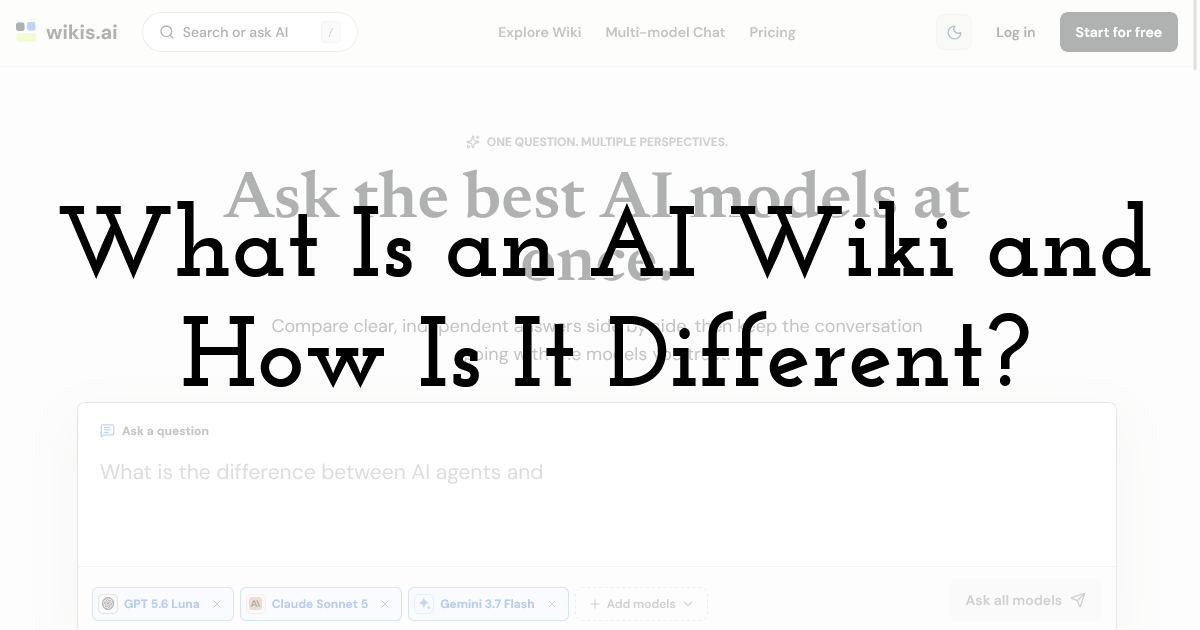
An AI Wiki combines traditional knowledge management with artificial intelligence. Instead of requiring employees to navigate complicated folder structures, it allows them to interact with company knowledge more naturally.
Here are three major advantages.
1. Semantic Search Instead of Keyword Search
Traditional search often depends on remembering the exact words used in a document.
For example, searching for “vacation” may fail to find a document titled “Annual Leave Policy.”
An AI Wiki can interpret the meaning behind a question. An employee could ask, “How many vacation days can I take each year?” and receive a relevant answer based on the available company information.
This makes knowledge retrieval faster and more intuitive.
2. Automated Summarization
Employees do not always need to read an entire document. Sometimes they only need the key points.
An AI-powered knowledge base can summarize lengthy reports, meeting notes, project documentation, or policies. Instead of spending thirty minutes searching through a document, an employee can start with a concise overview and then review the original source when necessary.
3. AI-Assisted Knowledge Creation
AI can also help teams create new knowledge.
For example, when preparing an onboarding guide, an employee could ask the AI to create a five-step checklist based on existing company information. The draft can then be reviewed, corrected, and customized by the team.
The result is a workflow that supports both knowledge retrieval and knowledge creation.
5-Step Guide: Building Your Knowledge Base With Wikis AI
Now let’s look at a practical process for building a modern team knowledge base.
Step 1: Audit Your Existing Knowledge
Before importing anything, identify where your team's current knowledge lives.
Look through shared drives, cloud documents, PDFs, meeting notes, project management tools, internal guides, and other important resources.
Then group the information into broad categories such as:
- • Company and Team: Policies, HR information, culture, and administrative guidelines.
- • Projects: Product requirements, project plans, meeting notes, and post-mortems.
- • Onboarding: Training materials, tool guides, workflows, and team contacts.
- • Operations: Standard operating procedures, customer processes, and internal workflows.
Do not try to create a perfect structure at this stage. The goal is to understand what information you already have and identify obvious gaps or outdated documents.
Step 2: Create Your Wikis AI Workspace
Once you understand your existing information, create a dedicated workspace in Wikis AI.
Give the workspace a clear name based on your company, department, or project. Then establish a simple organizational structure that matches how your team actually works.
Avoid creating too many categories. One of the biggest benefits of an AI Wiki is that users can search for information conversationally rather than depending entirely on a complex directory.
Your structure should support discovery, not create another administrative burden.
Step 3: Import Existing Documents
Now it is time to bring your existing knowledge into the new system.
Upload relevant documents such as PDFs, Word files, Markdown files, meeting notes, guides, and other supported content.
The goal is to make your team's existing knowledge accessible from one central location.
At this stage, resist the urge to manually tag every document. Excessive manual organization can quickly turn knowledge management into a full-time job.
Instead, focus on importing high-value information and removing obvious duplicates or outdated material.
You can also use AI-assisted creation to develop new documentation. For example, ask the system to draft a new employee onboarding checklist, summarize a project retrospective, or create an outline for an internal process guide.
Human review should remain part of the workflow, especially for policies and operational documents.
Step 4: Make Conversational Search the New Default
This is where an AI Wiki becomes particularly powerful.
Imagine that an employee needs to understand the company's travel reimbursement policy.
With traditional search, they might type “expense,” receive dozens of documents, open several files, and manually look for the relevant section.
With conversational retrieval, they can ask:
“What is the reimbursement limit for transportation during a business trip?”
Instead of simply returning a list of documents, an AI-powered system can interpret the question and provide a concise response based on relevant information.
This changes employee behavior. Instead of asking coworkers where a document is located, employees can start by asking the knowledge base directly.
However, important information should always be checked against the original source. AI makes retrieval easier, but human verification remains essential for sensitive policies, financial information, legal requirements, and other high-stakes content.
Step 5: Get the Whole Team Involved
A knowledge base only becomes valuable when people actually use it.
Introduce the new system to your team and explain when they should use it. For example:
- • HR can use it to centralize onboarding and policy information.
- • Product teams can organize PRDs, research, and project decisions.
- • Developers can store technical documentation and API references.
- • Sales teams can access product knowledge and customer-facing resources.
- • Managers can maintain meeting notes, workflows, and operational procedures.
Encourage employees to search the knowledge base before asking repetitive questions in team chat.
Over time, this creates a valuable feedback loop: frequently asked questions reveal missing documentation, while new documents continuously expand the team's collective knowledge.
Why Choose Wikis AI?

There are many note-taking and documentation platforms available, but teams looking for a lightweight AI Wiki should prioritize usability, retrieval, and knowledge accessibility.
Wikis AI is designed around the idea that company knowledge should be easy to store and even easier to retrieve.
Its conversational approach can make information discovery feel more natural than navigating complicated folders. A clean interface can also reduce the learning curve for employees who are not particularly technical.
More importantly, the value of an AI Wiki is not simply having another place to store documents. The real value comes from turning static information into something employees can actively interact with.
A document sitting untouched in a shared drive has limited practical value. The same information becomes much more useful when an employee can ask a question and quickly locate the relevant knowledge.
Best Practices for Maintaining an AI Wiki
Building the system is only the first step. To keep your knowledge base useful, establish a few simple rules.
Keep important information current. Review policies, procedures, and frequently used documents regularly.
Remove duplicates. Multiple versions of the same document can create confusion and reduce trust.
Add context. When creating a document, explain its purpose, audience, and last-update date.
Verify AI-generated answers. Treat AI as a knowledge assistant, not an unquestionable authority.
Encourage contribution. Make it easy for employees to add useful documentation after completing projects or solving recurring problems.
These habits can prevent your AI Wiki from becoming another digital graveyard.
Final Thoughts: Let AI Become Your Team’s Knowledge Assistant
A highly efficient team knowledge base is not simply a collection of documents. It is a system that helps people find, understand, and use knowledge when they need it.
An AI Wiki provides a more intelligent alternative to traditional document management by combining centralized information with conversational retrieval and AI-assisted knowledge creation.
With Wikis AI, teams can begin moving away from scattered files, repetitive questions, and complicated folder structures toward a more accessible knowledge environment.
The transition does not need to happen overnight. Start with your most important documents, create a focused workspace, import existing knowledge, and encourage your team to make conversational search part of their daily workflow.
When your team's collective knowledge becomes easy to access, employees spend less time hunting for information and more time using it to solve problems, make decisions, and get meaningful work done.
That is the real promise of an AI Wiki: not simply storing what your team knows, but making that knowledge useful.
Until next time, Be creative! - Pix'sTory
Recommended posts
-

How AI Is Transforming Video Creation for Everyone
Read More › -

6 Best Tools to Remove Blur from Marketing Images in 2026
Read More › -

Top Personalized Messaging Platforms for Startups
Read More › -

Small Team, Big Risk: Why Every Creative Studio Needs Corporate First Aid...
Read More › -

AI Video Generators Ranked: 7 Best Platforms for 2026
Read More › -

Top 5 AI Image Generators for Social Media Content Creators
Read More ›
