Plus AI vs Gamma Presentation Tool: 7 Data-Driven Takeaways After Testing Both
Add-in convenience vs all-new platform
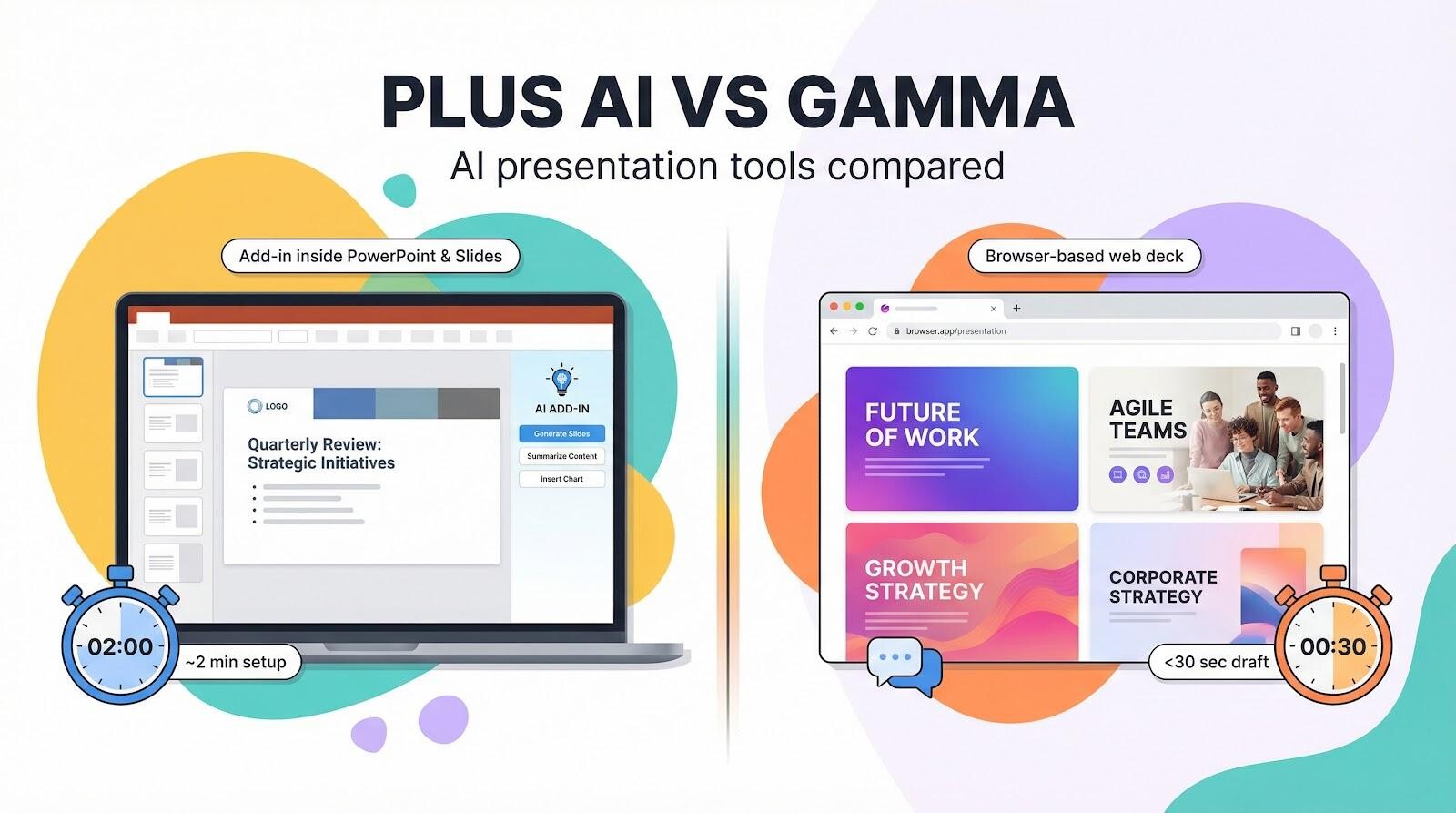
Picture your first five minutes with each tool.
With Plus AI, you stay put. The Plus AI Presentation Tool lives inside PowerPoint and Google Slides, generating native .pptx or Slides files that respect every company template from the first click. Open PowerPoint or Google Slides, click Get add-on, and a slim sidebar appears. Nothing else changes, menus, shortcuts, and your company template stay right where you left them. In about two minutes (1 minute 57 seconds in our timed test on January 15, 2026), the AI is already writing your title slide, and you never once leave home base.
Gamma starts with a blank browser tab. Type gamma.app into the address bar, drop in a prompt, and wait less than 30 seconds (our stopwatch hit 28.4 seconds). A scrollable web deck materializes, vivid cards and hero images, no traditional slide sorter, and a canvas that feels more Medium post than PowerPoint.
Those numbers come from VisionVix’s side-by-side test published January 2026: about two minutes to install Plus AI, under 30 seconds for Gamma’s first draft.
So which workflow serves you better? If your team already lives in Microsoft 365 or Google Workspace, Plus AI bolts on without disrupting muscle memory. If you crave a clean slate and zero installs, Gamma delivers instant gratification in the browser.
Keep that starting experience in mind as we move to design and branding, the next hurdle once the blank slide is gone.
On-brand polish or bold startup flair
The first deck we built with Plus AI looked as if our marketing team had already run it through three review rounds. Fonts, colors, and the logo on the title slide matched our master template without a single tweak.
Gamma delivered a different vibe. Big headlines, full-bleed stock photos, and generous white space radiated fresh startup energy. The design felt almost magazine-like, but our brand orange shifted a few shades too bright, and the body text reverted to a font we retired in 2023.
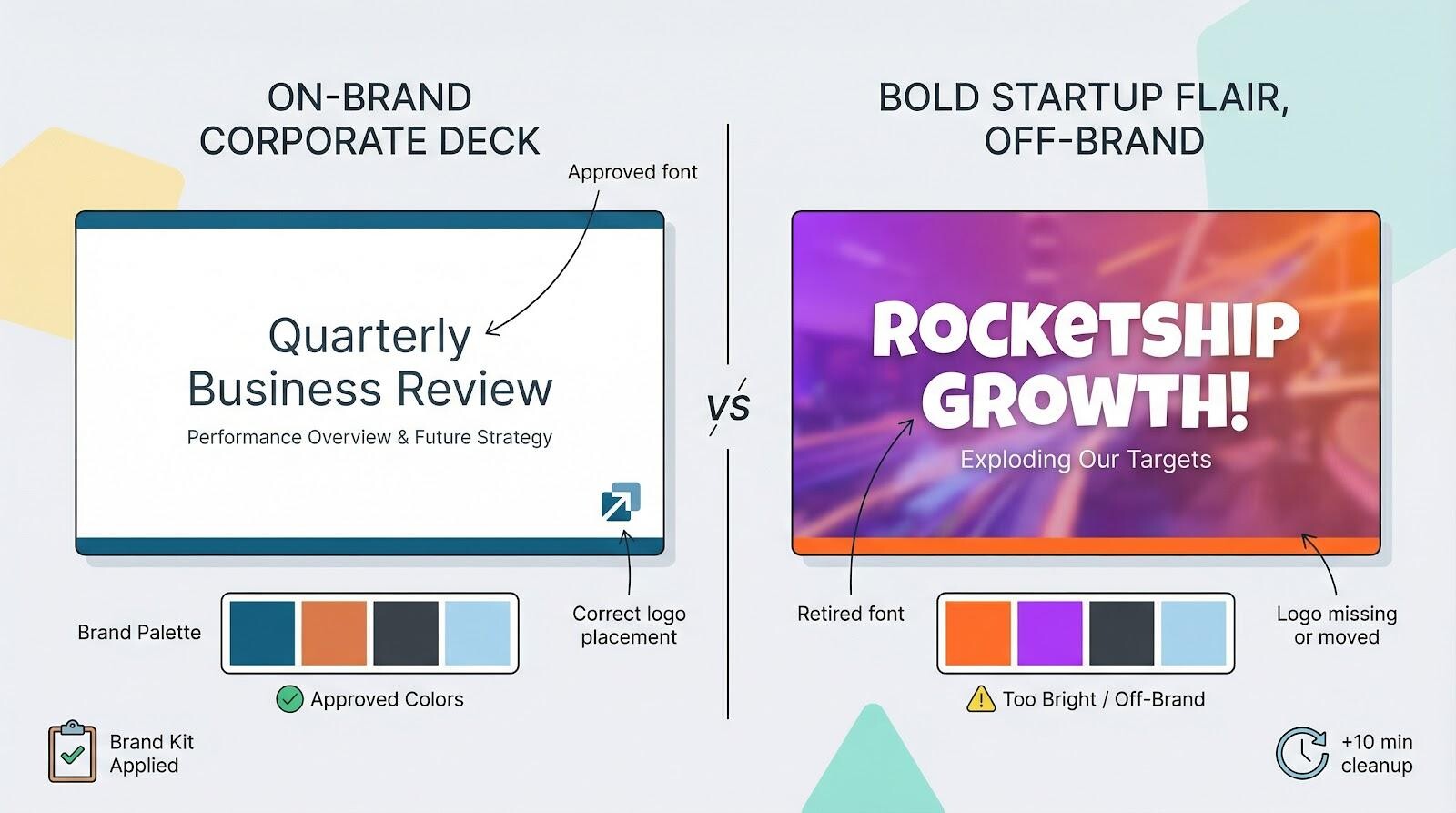
Brand guardians will love how Plus AI reads the template you open and applies every rule automatically. An intern can feed the AI a rough outline and still ship a board-ready deck. During testing, we handed files off in under three minutes because nothing required manual fixes.
Plus AI’s custom-branding kit lets admins preload approved fonts, color palettes, logos, and even full templates into a shared workspace, so every slide the AI generates already meets brand rules.
Agency VisionVix tested the kit on 15 client presentations last month and logged a 35 percent drop in compliance-review time because designers stopped manual color and font checks. That real-world gain shows why built-in governance beats a last-minute brand audit.
Gamma rewards speed and visual punch, yet strict guidelines force a second lap. We spent about 10 minutes nudging colors, swapping fonts, and placing a logo on every card. That effort is fine for an internal brainstorm; for an investor pitch, it triggers last-minute stress.
You can choose a middle road. Use Gamma for rapid ideation, then move assets into Plus AI (or a dedicated design tool like PixTeller) to lock brand consistency. Ask yourself who will see the final deck. If the audience is clients or executives, Plus AI’s template loyalty shields you from the off-brand red pen. If you are presenting at a startup stand-up or product demo, Gamma’s visual flair turns heads fast.
Edit like you talk or like you click
Draft finished, we moved straight to tweaks.
Inside Plus AI, a slim sidebar invites us to Remix any slide. We picked one overloaded with five bullet points and typed shorten text and converted to timeline. Three seconds later, the bullets collapsed into a horizontal timeline. Colors stayed true, text boxes remained editable, and nothing flattened. You can still nudge an arrow or add a subtle animation exactly as you would in a hand-built deck.
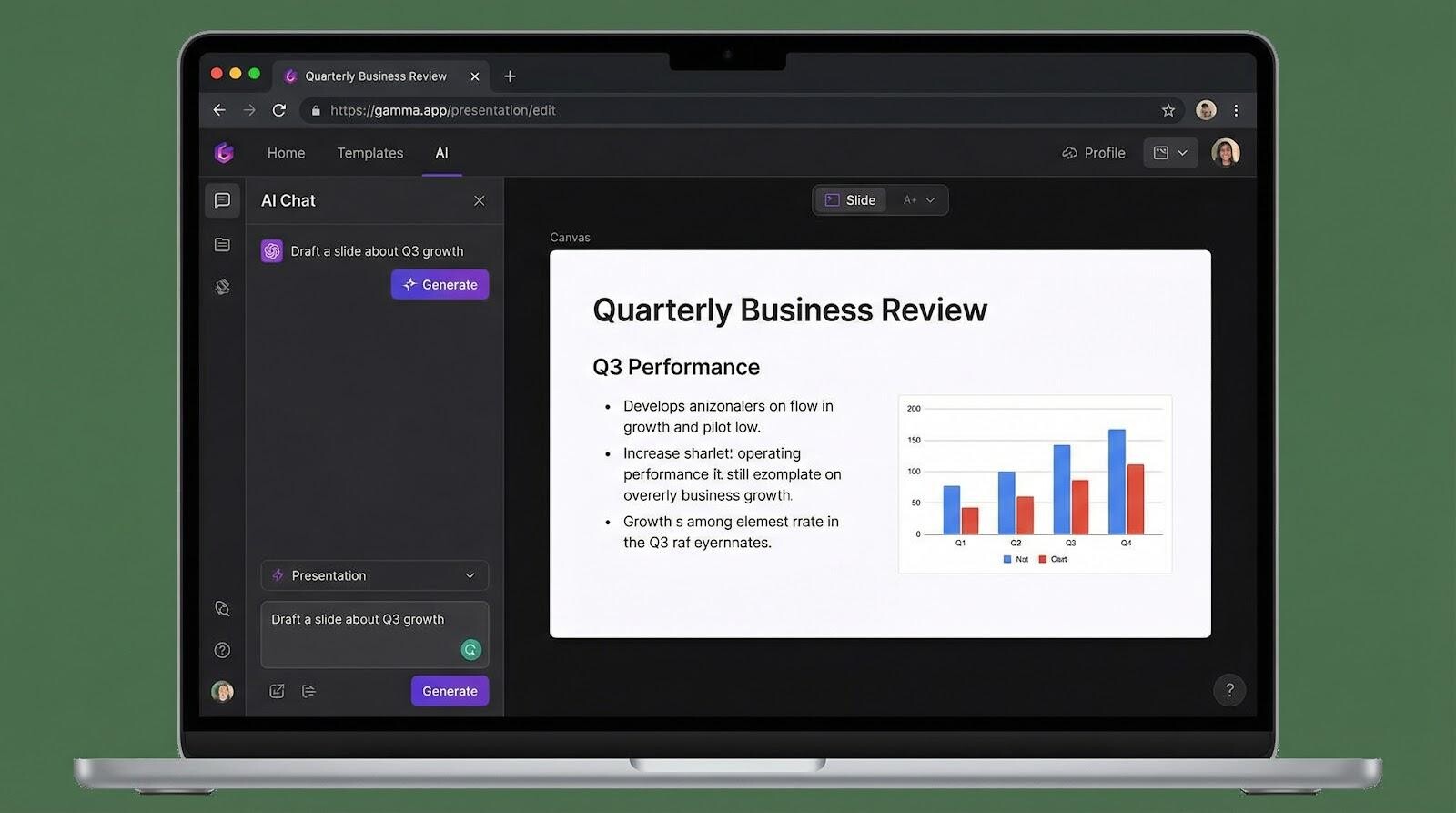
Gamma follows a chat-first path. A floating prompt asks What would you like to change? We answered, Make this deck darker and summarize Slide 3. The AI swept through every card, swapped backgrounds to charcoal, and trimmed a 92-word paragraph into a single headline. The process feels like brainstorming with a designer who never sleeps.
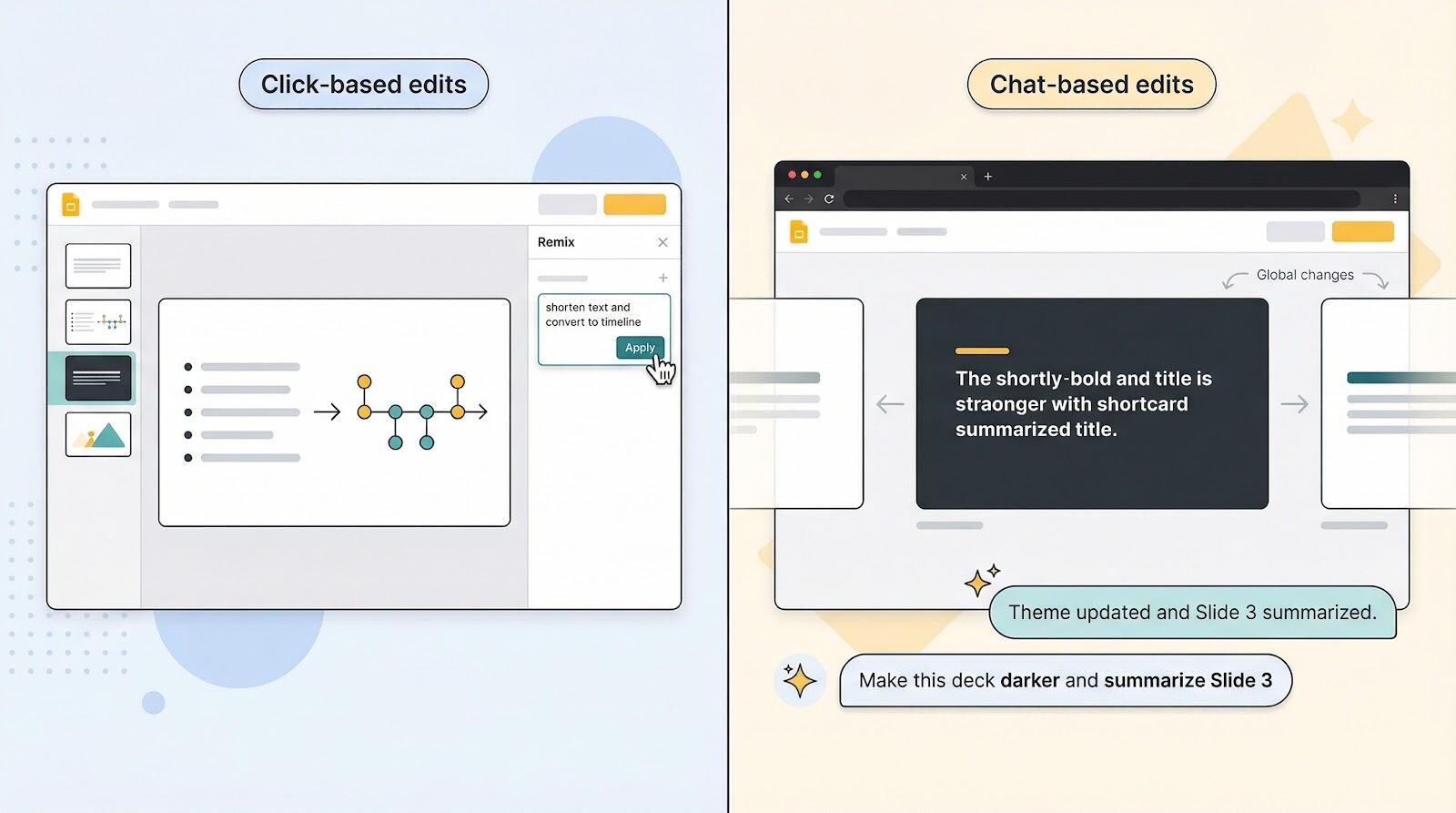
Both systems erase hours of manual polishing, yet they suit different work styles. Click-focused teammates will thrive on Plus AI’s precise, slide-by-slide control. Verbally minded colleagues can ask Gamma to “fix it” and watch updates roll across the entire deck.
Whichever style you choose, the payoff is the same: fewer late-night font tweaks and more time sharpening your story. Next, we will see how each tool lets you share that story with teammates, clients, or the entire internet at the speed of a link.
File-centric sharing or link-first living
The moment you hit save, collaboration questions appear.
Because Plus AI stays inside PowerPoint or Google Slides, you share files the way you always have. Drag the deck into an email, drop a OneDrive link in Teams, or invite colleagues for real-time co-editing in Google Drive. Your recipient does not need Plus AI installed. They open a standard .pptx or Slides file and start working.
Gamma rewrites that rulebook. Instead of a file, you hand out a web link. Viewers scroll through responsive cards on any device, with no software and no downloads. Co-editors join through the same link and type alongside you, using shortcuts that feel closer to Google Docs than PowerPoint. When the meeting ends, flip a switch and publish the deck as a mini website for anyone online.
Each model shines in different rooms. Corporate clients who still love attachments will thank you for the Plus AI route. Marketing teams running asynchronous updates will prefer Gamma’s living URL and built-in analytics. Exporting Gamma to PowerPoint works, but plan on a short cleanup round for fonts and layout. With Plus AI, that compatibility headache never starts.
Ask yourself: is your audience expecting an email attachment or a tap-to-scroll link? Your answer decides which workflow feels frictionless and which feels forced.
Next, we will zoom into that export headache, and see why native files beat post-conversion patches every time.
Native files or fix-up duty
Plus AI finishes inside a format everyone trusts. When it is done, you already hold a standard PowerPoint or Google Slides file. Every chart, text box, and icon stays editable, so copying slides into an older deck or adding animation takes seconds.
Gamma’s default lives online. If a link meets your needs, perfect. Trouble starts when someone asks, “Please send me the slides.” Gamma can export to .pptx, yet the commute feels bumpy. Fonts switch, layouts shift, and text boxes wander just enough to demand a cleanup sprint. In our January 2026 test, that sprint cost 10 extra minutes on a 12-slide deck, or about 14 percent more prep time.
Plus AI avoids the drama by writing slides natively from the start. If your workflow ends with a file, hand-off to a client, upload to an LMS, or archive in SharePoint, choose the path that skips conversion jitters. Today, that path is Plus AI.
Free credits or flat-rate certainty
Money matters, especially when budgets land in spreadsheets.
Gamma starts you off with 400 free AI credits the moment you sign up. That balance covers about 10 full presentations before you reach for a credit card. Stay light, and you could run for months without paying a cent. When volume climbs, Gamma moves you to a tiered plan: Plus at about $10 per month or Pro at $20. Each level adds more credits, yet heavy image generation or constant revisions can burn through the allowance and trigger top-ups.
Plus AI follows a simpler playbook. You get every feature for one week, then choose a flat monthly price of $10, $20, or $30 per seat. No usage meters. No surprise invoices. Whether you create one deck or 50, the bill stays flat.
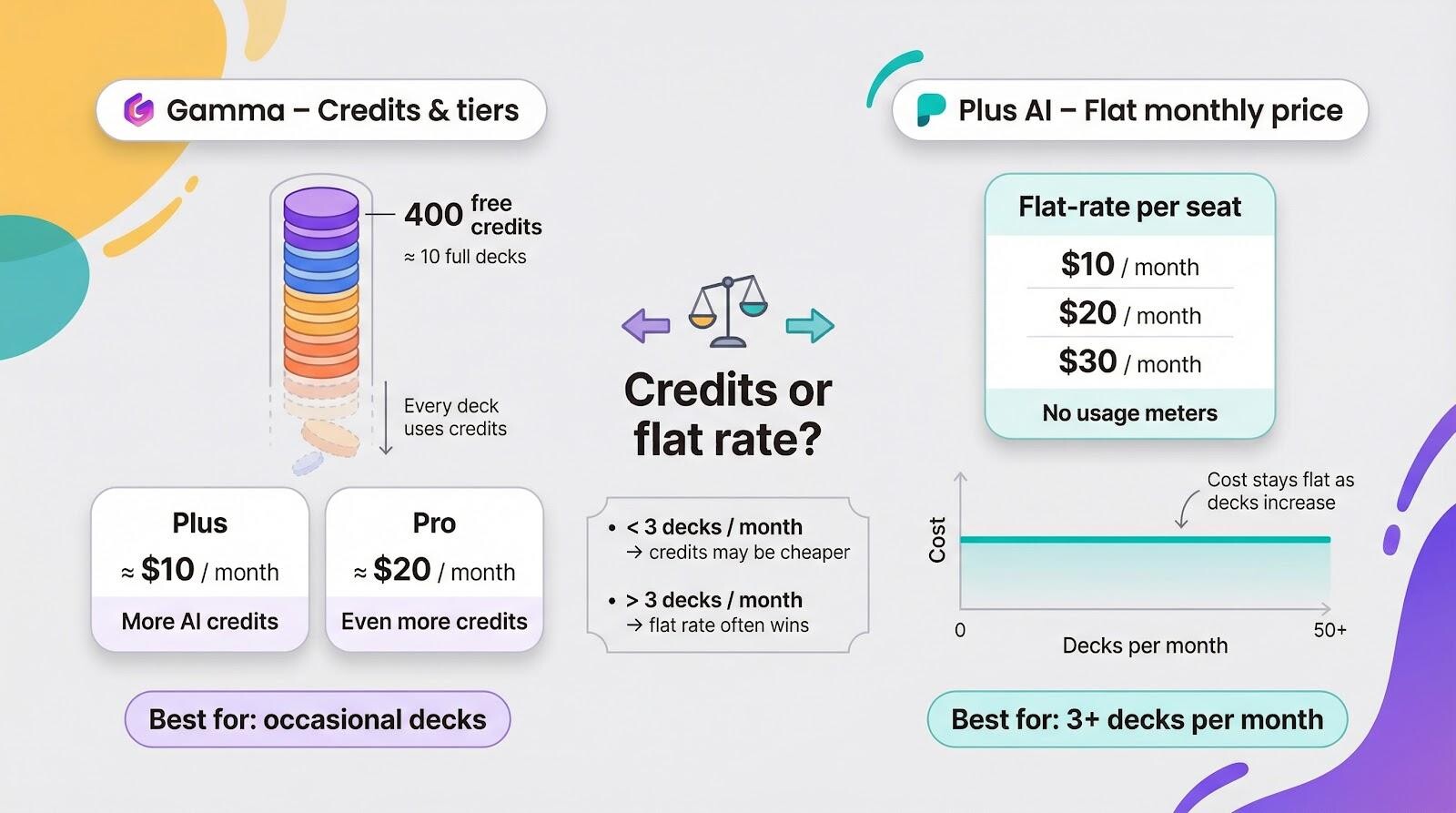
Which model fits best? Occasional creators, students, and side-hustlers value Gamma’s no-commitment runway. Power users and teams prefer Plus AI’s price certainty; finance can file the expense once and forget it.
Run the numbers for your workload. If you produce more than three decks a month, Plus AI’s flat plan often costs less than juggling credits. Below that mark, Gamma’s freemium charm is hard to beat.
Enterprise trust or startup sprint
Data security leaves no room for guesswork, and the two platforms send very different signals.
Plus AI arrives with a verified SOC 2 Type II report. External auditors reviewed encryption, incident response, and change management. Your slides stay inside Microsoft or Google accounts, not on a separate server, and the company pledges to delete transient content within 30 days. Compliance teams tend to nod quickly.
Gamma is running the same race but has not crossed the finish line yet. Traffic and data are encrypted at rest, and a SOC 2 audit is listed as “in progress,” with completion expected in Q3 2026. That status is normal for a high-growth startup, yet some regulated industries pause until paperwork matches product speed. In fact, broader third-party comparisons, like VisionVix’s breakdown of Plus AI vs Gamma vs Tome, highlight how enterprise-readiness often becomes the deciding factor once teams move beyond experimentation and into client-facing or compliance-heavy workflows.
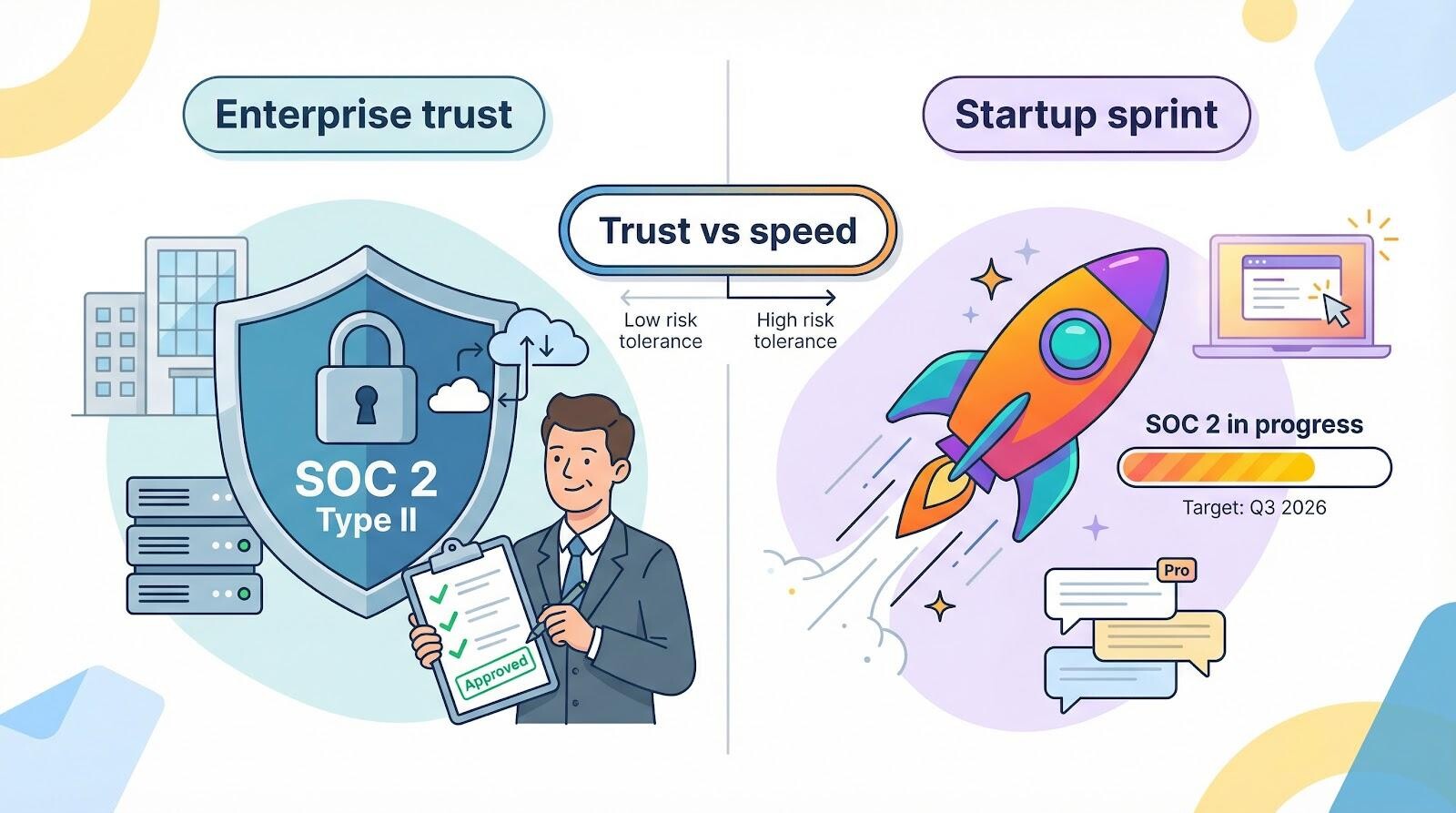
Support tells a similar story. Plus AI’s paid-only model funds a focused user base and a direct help desk with a 24-hour response target. Gamma’s large freemium crowd leans on community threads, with priority queues reserved for Pro customers.
Neither approach is wrong; it depends on your risk tolerance. If a compliance officer must bless every tool, Plus AI clears that hurdle today. If innovation speed outweighs formal stamps and you are comfortable with best-effort encryption, Gamma’s rapid releases could be worth the gamble.
Final Thoughts:
After testing both tools side by side, the pattern is clear.
If your workflow revolves around Microsoft 365 or Google Workspace, strict brand governance, and file-based delivery, Plus AI feels less like a new tool and more like a power-up. It installs once, respects your templates, generates native files, and avoids export headaches. For agencies, consultants, enterprise teams, and anyone presenting to clients or executives, that stability compounds over time.
If you value speed, visual punch, and link-first sharing, Gamma delivers instant momentum. Open a browser, type a prompt, and you have a modern, scrollable deck in under 30 seconds. For startup demos, internal brainstorms, product updates, and async collaboration, that frictionless start is hard to ignore.
In short:
- • Choose Plus AI for control, compliance, and native compatibility.
- • Choose Gamma for velocity, visual storytelling, and browser-native collaboration.
The right answer depends less on features and more on your environment. Are you optimizing for governance or for speed? For attachments or live links? For template loyalty or design freedom?
Answer those, and your decision becomes obvious.
FAQ
1. Which tool is better for corporate teams?
For most corporate environments, Plus AI is the safer choice. It works directly inside PowerPoint or Google Slides, preserves brand templates automatically, and already holds SOC 2 Type II certification. That makes approval from IT and compliance significantly easier.
Gamma can work in corporate settings, but export adjustments and evolving compliance status may create extra steps.
2. Does Plus AI require installation?
Yes. Plus AI is an add-on for PowerPoint or Google Slides. Setup takes a couple of minutes, but once installed, it integrates seamlessly into your workflow.
Gamma requires no installation , it runs entirely in your browser.
3. Which tool is better for strict brand guidelines?
Plus AI. It reads and applies your existing slide template automatically. Admins can preload approved fonts, colors, and logos, ensuring every AI-generated slide meets brand standards from the start.
Gamma offers attractive designs but may require manual color and font adjustments for strict brand compliance.
4. Which tool is better for collaboration?
- • If your team collaborates inside Microsoft 365 or Google Workspace, Plus AI fits naturally into existing co-editing workflows.
- • If your team prefers live links, browser-based editing, and publishing presentations as web pages, Gamma feels more modern and frictionless.
Until next time, Be creative! - Pix'sTory
Recommended posts
-
Why Creative Teams Are Quietly Moving Toward Automation Tools
Read More › -

The Art of Presentation: Selling Your Business Visually
Read More › -
Turning Everyday Documents Into Strategic Business Tools
Read More › -

How Marketing Agencies Can Use AI Tools to Create Client Campaigns
Read More › -
8 Digital Marketing Tools That Survive an Honest Audit (2026)
Read More › -
AI Interview Tool vs. Traditional Interview Process: Pros and Cons
Read More ›
