Visual SEO Masterclass: How to Optimize Your Graphics for Google Lens and Visual Search
You spent three months building a content moat. Keyword research, internal linking, schema markup, backlinks — the whole playbook. Your blog ranks on page one. Your bounce rate is healthy. You're feeling good.
And then you find out that 30% of the people searching for exactly what you sell never typed a single word. They pointed a camera at something, let Google Lens figure it out, and landed on your competitor's product page — because your images were a mess of uncompressed JPEGs with filenames like "image_final_v3_REAL.png."
That's not a hypothetical. That's your traffic, already gone, to someone who understood something you didn't: visual search is a parallel search ecosystem running at full speed alongside traditional SEO, and most content teams are completely blind to it.
This is your catch-up guide.
The Rise of Camera-First Search: Why "Snap to Search" Is Eating Traditional Queries
The Numbers That Should Alarm You
Visual search isn't a fringe behavior. It has crossed into mainstream consumer habit at a pace that most SEO strategies haven't accounted for:
- • Google Lens processes over 12 billion visual searches every month — a number that has grown more than 400% since 2020.
- • Pinterest Lens drives over 600 million visual searches monthly, with purchase intent among the highest of any search surface.
- • A 2025 Statista report found that 35% of Gen Z users prefer visual or voice search over typed queries when shopping online.
- • eMarketer projects that visual search-driven e-commerce revenue will surpass $40 billion globally by 2026.
What Camera-First Search Actually Looks Like
This isn't abstract. Here's what camera-first search behavior looks like in the wild:
- • A user photographs a dining chair they love at a friend's house and searches for where to buy it.
- • A shopper snaps a screenshot of an Instagram outfit and searches for the exact pieces.
- • A B2B buyer photographs a competitor's product at a trade show and searches for comparable alternatives.
- • A student photographs an infographic from a presentation and searches for the original source.
In every one of these scenarios, the winner isn't the brand with the best keyword strategy. It's the brand whose image Google Lens can read, interpret, and confidently surface. Visual SEO strategy isn't a nice-to-have anymore — it's a separate ranking game with its own rules, and most brands are playing it blind.
Technical Optimization: The Unglamorous Work That Actually Wins Visual Search
File Format: The WebP vs PNG Decision
The format your image lives in has direct implications for how fast it loads, how Google crawls it, and how legible it is to visual AI systems.
- • WebP is Google's preferred format for web images. It delivers roughly 30% smaller file sizes than PNG at equivalent quality, which directly improves Core Web Vitals scores — a confirmed ranking factor.
- • PNG remains superior for images that require transparency or pixel-perfect sharpness, such as logos, icons, and infographics with fine text.
- • JPEG is acceptable for photographic content but should always be run through a compression tool before upload.
- • AVIF is emerging as the next-generation format with even better compression than WebP, though browser support is still catching up.
The rule of thumb: Use WebP for everything that doesn't require transparency. Use PNG for graphics where quality loss is unacceptable. Never upload an uncompressed image to a live page.
File Naming: The Most Ignored Signal in Image SEO
Google's crawlers read your filename before they read anything else about your image. "IMG_4872.jpg" tells them nothing. "minimalist-wooden-dining-chair-walnut-finish.webp" tells them exactly what the image contains — and that information feeds directly into visual search indexing.
- • Use descriptive, hyphen-separated filenames that reflect the content of the image accurately.
- • Include your primary keyword naturally where it fits — don't stuff, but don't waste the opportunity.
- • Keep filenames under 60 characters to avoid truncation in crawl logs.
Alt Text: Writing for Both Humans and AI
Alt text is simultaneously an accessibility feature and one of the most powerful image SEO signals available. Most implementations are either missing entirely or lazily auto-generated.
Alt-text best practices for 2026:
- • Describe what is literally in the image — color, subject, context, and action where relevant.
- • Include your target keyword naturally within the description, not forced at the beginning.
- • Keep alt text between 80 and 125 characters — enough to be descriptive, short enough to be useful.
- • Never use "image of" or "photo of" as an opener — Google's crawlers already know it's an image.
Schema Markup for Images: The Signal Most Brands Skip
ImageObject schema tells Google structured information about your image — what it depicts, who created it, when it was published, and what page it belongs to. Implementing it correctly can qualify your images for rich results in visual search surfaces.
- • Use ImageObject markup within your existing Article or Product schema.
- • Include contentUrl, description, name, author, and datePublished at minimum.
- • For product images specifically, offers and brand markup dramatically improves visibility in Google Shopping's visual search integration.
The Aesthetics of Search: Why Clean Design Is an AI Ranking Signal
How Google Lens Reads an Image
Google Lens doesn't just identify objects — it interprets visual context. High-contrast images with clear subject isolation, minimal clutter, and legible text elements are significantly easier for visual AI to parse and categorize accurately.
This has a direct implication for graphic design: cluttered, low-contrast, visually noisy images don't just look bad — they rank badly in visual search because the AI cannot confidently determine what the image is about.
Design Principles That Double as Visual SEO Strategy
- • High contrast between subject and background — clean product shots on white or neutral backgrounds consistently outperform lifestyle shots with busy environments in visual search indexing.
- • Legible typography at thumbnail scale — if the text on your infographic becomes unreadable when the image is displayed at 200px wide, Google Lens struggles to extract meaning from it.
- • Single dominant subject per image — images with one clear focal point are categorized more accurately than compositionally busy images with multiple competing elements.
- • Consistent color palettes — visual AI systems associate color patterns with brand identity over time, improving brand recognition in Lens results as your image library grows.
Tutorial: Creating SEO-Optimized, AI-Readable Graphics With Pixteller
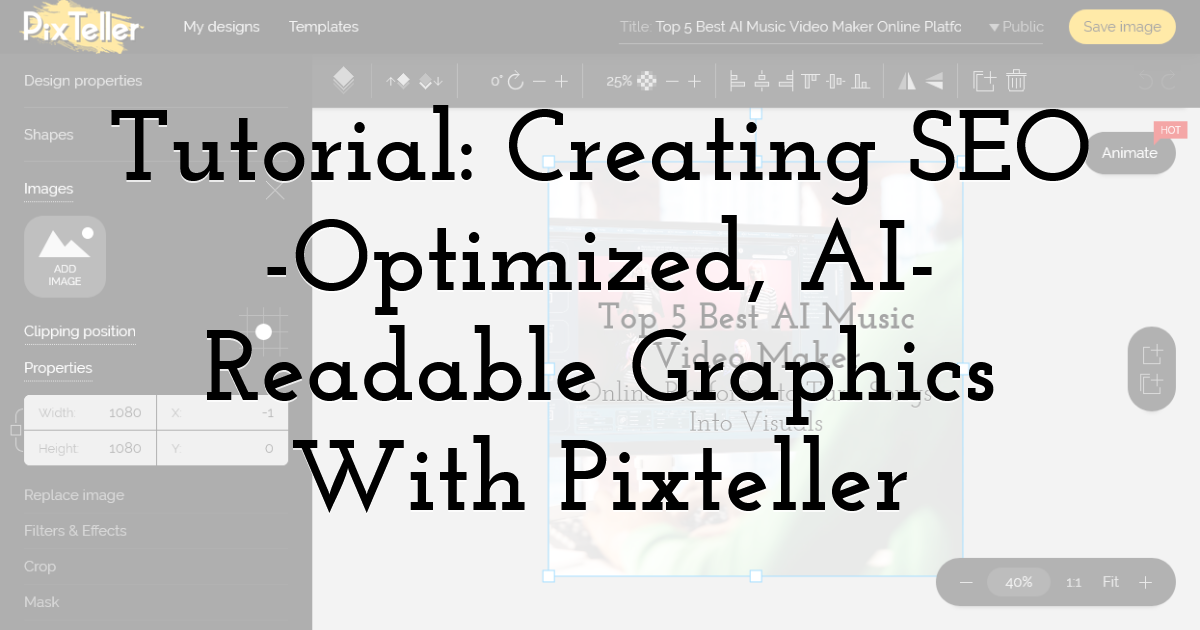
Most design tools give you creative freedom. Pixteller gives you creative freedom within a framework that's already built for performance — which is exactly what visual SEO strategy demands.
Step 1 — Choose a High-Contrast Template
Pixteller's template library is built around clean, high-contrast layouts that perform well at both full size and thumbnail scale. Start with an infographic or social graphic template that uses a clear background-to-subject contrast ratio. Avoid templates with heavy texture overlays or gradient-heavy backgrounds that reduce AI legibility.
Step 2 — Use Descriptive, Keyword-Rich Text Elements
Every text element inside your Pixteller graphic is part of the visual content Google Lens will attempt to read. Structure your infographic headlines to include your target keyword naturally — not as an SEO afterthought, but as the literal label for what the graphic explains.
Step 3 — Export in the Right Format
Pixteller allows export in multiple formats. For web use, export as WebP where the platform supports it, or PNG for infographics where text sharpness is critical. Always run your export through a compression pass — tools like Squoosh or ShortPixel can reduce file size by 40–60% without visible quality loss.
Step 4 — Name Your File Before Upload
Before uploading your Pixteller export anywhere, rename the file descriptively. Your filename should reflect the graphic's subject, include your primary keyword where natural, and use hyphens not underscores between words.
Step 5 — Write Alt Text That Matches the Graphic's Content
Once uploaded, write alt text that describes what a sighted user would see in the graphic — the topic, the key data points, the visual structure. A well-written alt text for an infographic reads like a one-sentence summary of its contents.
How Chatly AI Chat Accelerates Your Visual SEO Learning Curve
Learning visual SEO from scratch is genuinely overwhelming. Between schema markup syntax, format tradeoffs, design principles, Google Lens indexing behavior, and alt-text conventions, there's a steep ramp before any of it starts feeling intuitive. For new learners especially, the gap between "I read the guide" and "I actually know what I'm doing" can feel insurmountable.
Chatly AI Chat was built precisely for this gap. It's not a single AI model with a fixed perspective — it's a unified platform that gives you access to over 30 of the world's top AI models, including GPT-5.2 Pro from OpenAI, Grok 4 from xAI, Gemini 3 Pro from Google, and Claude Opus 4.6 from Anthropic, all from a single interface. The practical implication is significant: different models have different strengths, and Chatly lets you leverage all of them without switching platforms or managing multiple subscriptions.
Research Any Visual SEO Topic Instantly
- • Ask ChatGPT-4o to explain ImageObject schema markup in plain English and generate a ready-to-use code snippet for your specific page type.
- • Ask Gemini — Google's own model — how Google Lens interprets image context signals, and get an answer straight from the source's closest AI equivalent.
- • Ask Grok for a contrarian take on whether WebP is actually always the right format choice, and pressure-test your assumptions before you build a workflow around them.
- • Switch between models mid-research to cross-reference answers, spot where consensus exists, and identify where expert opinion genuinely diverges.
This kind of multi-model research used to require five separate browser tabs, five separate accounts, and the mental overhead of stitching it all together. Chatly collapses it into a single conversation.
AI Document Generation: Turn Research Into Deliverables
Once you've figured out your visual SEO strategy, you need to document it — for your team, your clients, or your own workflow. Chatly's AI Document Generation feature lets you turn a research conversation directly into a structured, professional document without starting from a blank page.
- • Generate a full visual SEO audit checklist for your site, ready to share with a designer or developer.
- • Create a style guide for AI-readable graphic design that your content team can follow consistently.
- • Produce a client-ready report on image optimization recommendations, formatted and polished without manual writing effort.
For new learners, this feature is particularly powerful because it externalizes expertise. You don't need to already know how to structure a professional SEO document — you ask Chatly to generate it, and you learn from the output while using it.
AI Image Generation: Concept, Test, and Learn Visually
Chatly's AI Image Generation feature adds a dimension that pure text-based AI tools can't offer: the ability to visually prototype and explore design concepts before committing to a full Pixteller production workflow.
- • Generate concept images to test different contrast ratios and background styles before designing your infographic.
- • Visualize what "single dominant subject" design looks like across different niches and content types.
- • Rapidly produce reference images that illustrate visual SEO principles — useful for internal training, client presentations, or simply building your own visual intuition faster.
A Learning Environment That Meets You Where You Are
What makes Chatly particularly valuable for new learners is that it doesn't require you to already know the right question to ask. You can describe your situation — "I run a small e-commerce store, I sell handmade ceramics, and I have no idea if my product photos are showing up in Google Lens" — and Chatly will help you diagnose the problem, research the solution, generate a checklist, and even produce reference visuals, all within the same session.
- • No prior SEO knowledge required to get actionable output.
- • No switching between tools, tabs, or subscriptions mid-workflow.
- • No single AI model's blind spots limiting the quality of your research.
For anyone serious about mastering visual SEO strategy in 2026, Chatly AI Chat is the research and production environment that compresses the learning curve from months to sessions.
Final Thoughts:
Visual search isn't coming. It's already here, already indexed, and already sending traffic to the brands that understood it early. The gap between brands that optimize for visual AI and those that don't is only going to widen as Google Lens, Pinterest Lens, and camera-first search behavior continue their upward trajectory through 2026 and beyond.
The technical fixes are straightforward. The design principles are learnable. The tools are available right now. And with Chatly AI Chat in your corner, the research, the documentation, and the visual prototyping that used to take weeks can happen in a single afternoon.
Until next time, Be creative! - Pix'sTory
Recommended posts
-
Eight Google Ads Hacks that Can Boost Your Conversion Rate and Grow ROI
Read More › -
Type of Video Content Can Help You Get More Traffic
Read More › -

What Should an SEO Package Offer to Your Business?
Read More › -
Top 7 Visual Search Hacks You Need to Master in 2025
Read More › -
How Advertising Adds Value to Your Brand
Read More › -

From Event Snapshot to Marketing Visual: Rescuing Photos Before You Desig...
Read More ›
