From Reference Image to a Reviewable 3D Asset with Tripo
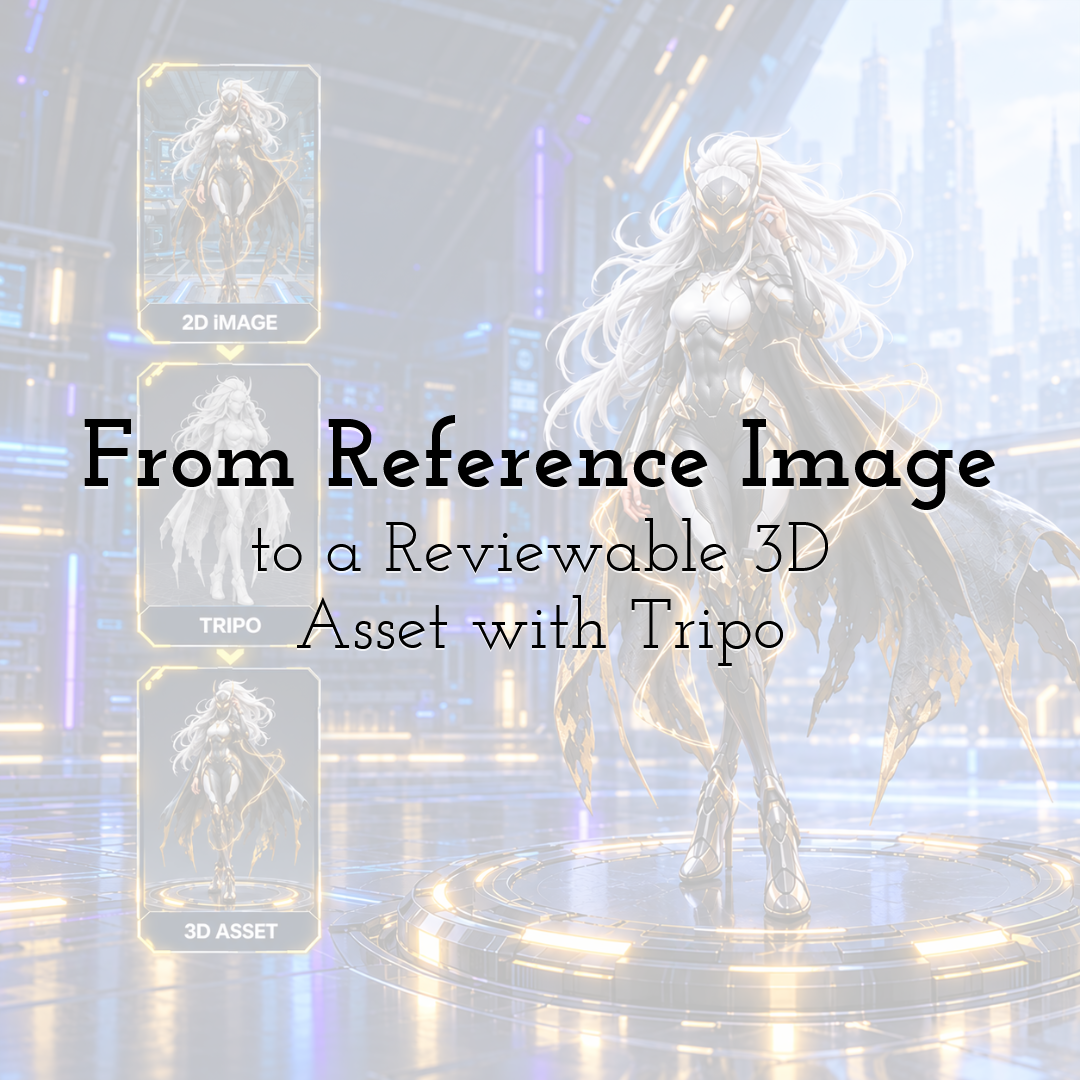
Image-to-3D is easy to demonstrate and harder to operationalize. A single reference can produce a convincing model, but a team still has to decide whether the input is permitted, what the hidden surfaces should look like, which defects matter, and when an output is ready to move downstream.
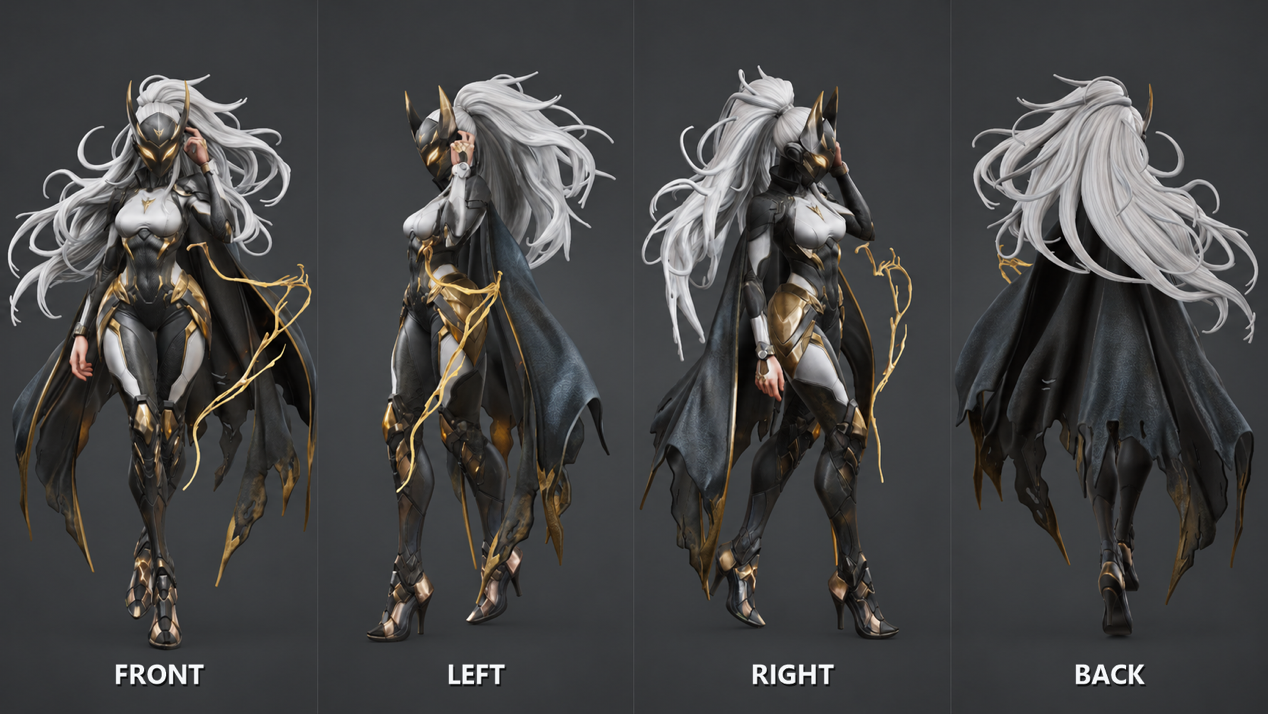
This worked example follows a masked science-fiction character with long white hair, black-and-white armor, gold trim, and a dark cape. The image is visually useful because it exposes common sources of uncertainty: layered materials, fine hair, partially hidden hands, a flowing garment, and energy effects that should not become geometry. It should be used only when its ownership and intended use are documented.
The goal is deliberately narrow. The output is a reviewable 3D concept for internal visual development, not a production-ready character or proof of animation quality. That distinction makes the review criteria measurable and keeps an attractive render from being mistaken for a completed pipeline.
Where Tripo fits in the process
Tripo is the model-generation stage in this test. The operator prepares a controlled reference, uploads it in Tripo's Image-to-3D workflow, reviews the generated model from multiple angles, and applies only the editing or export steps required for the intended destination.
This is not a feature tour. The relevant capabilities are image-based generation, viewport inspection, optional texture or topology work, and export. Interface labels and available options may change, so every screenshot should record the state actually used for this run.
A six-step review-first workflow
1. Define the approval target before generation
Write the stopping condition first: the model must preserve the character's mask, armor silhouette, hair mass, cape outline, and gold accents when reviewed from multiple angles against a neutral background. Rigging, deformation, engine performance, and final production approval remain outside this pilot. Name the reviewer and the next owner so "finished" has a precise meaning.
2. Prepare a clean, traceable input
Keep the supplied image as the provenance record. Create a working copy with the character isolated on a plain background. Remove the laboratory scene and gold lightning from the working image because those elements can confuse the boundary between the model and its environment. Do not repaint uncertain rear details and present them as observed facts.
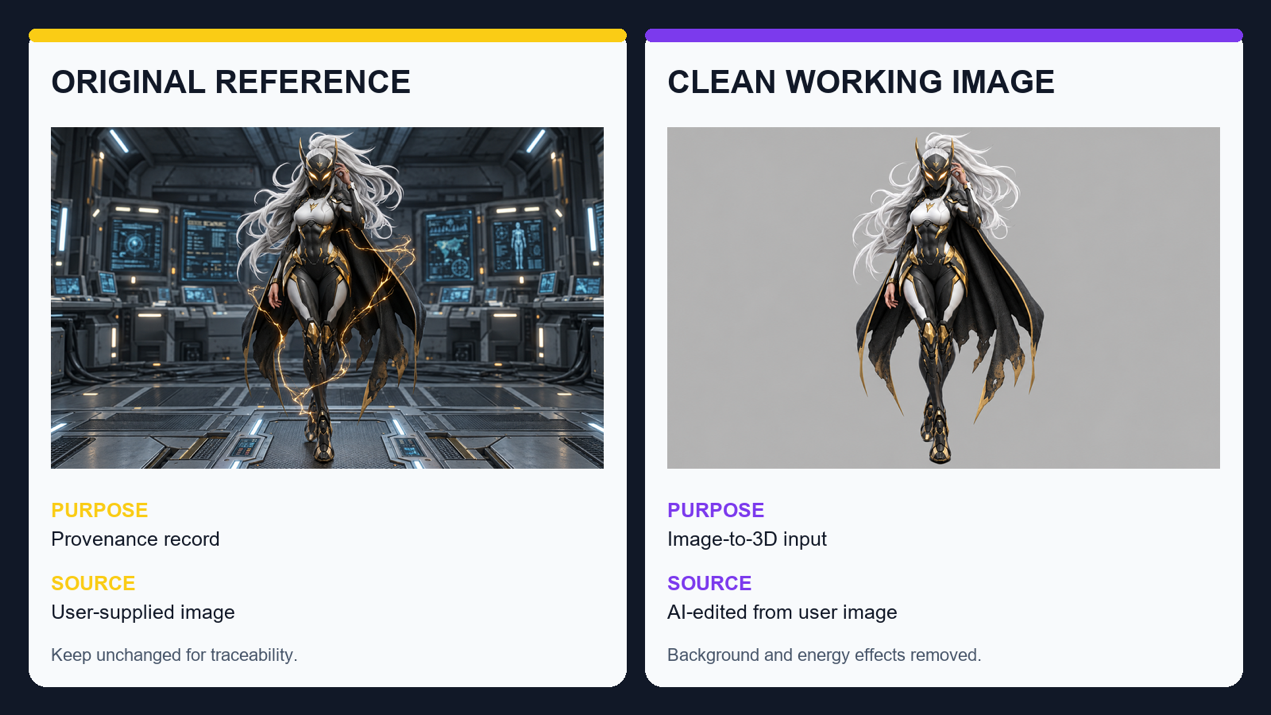
If back and side fidelity are important, prepare consistent additional views. Otherwise, label the hidden cape structure, rear armor connections, hair volume, and crossed-leg overlaps as inferred areas that require inspection.
3. Generate and log the first candidate
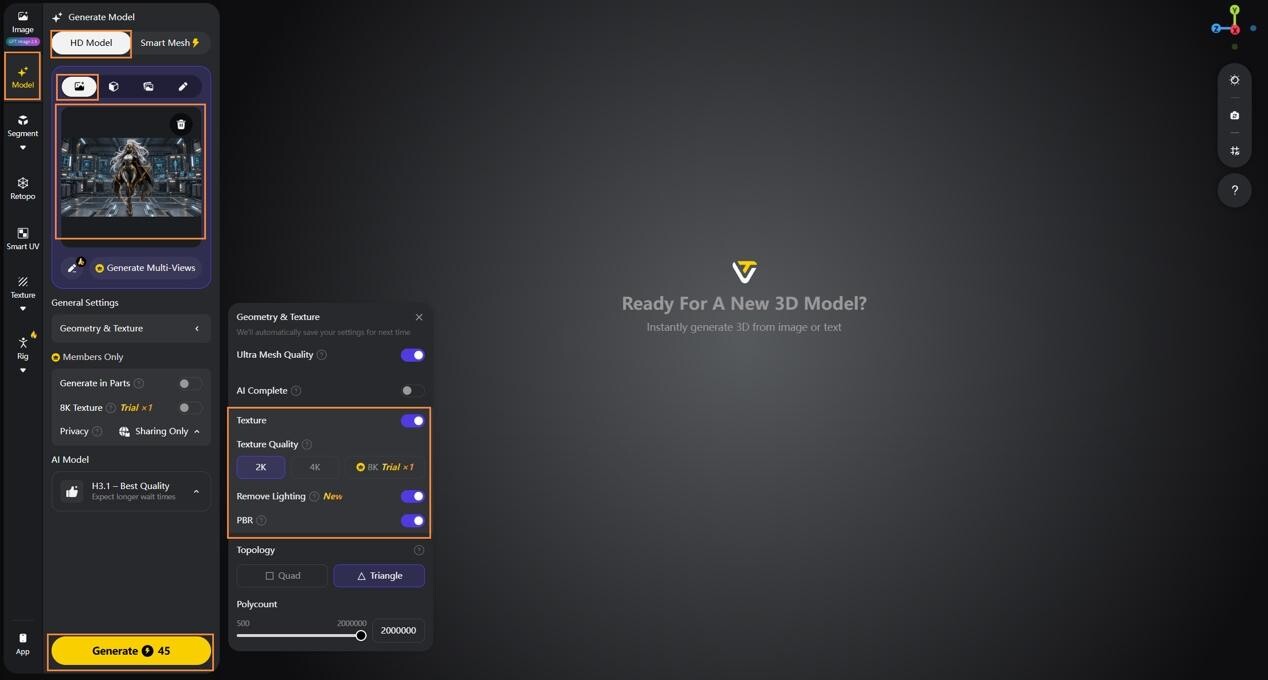
Upload the approved working image and capture the input state before generation. Assign a run ID and record the operator, date, source-file version, selected generation path, and intended review target. The log lets another reviewer connect the model to the exact image that produced it.
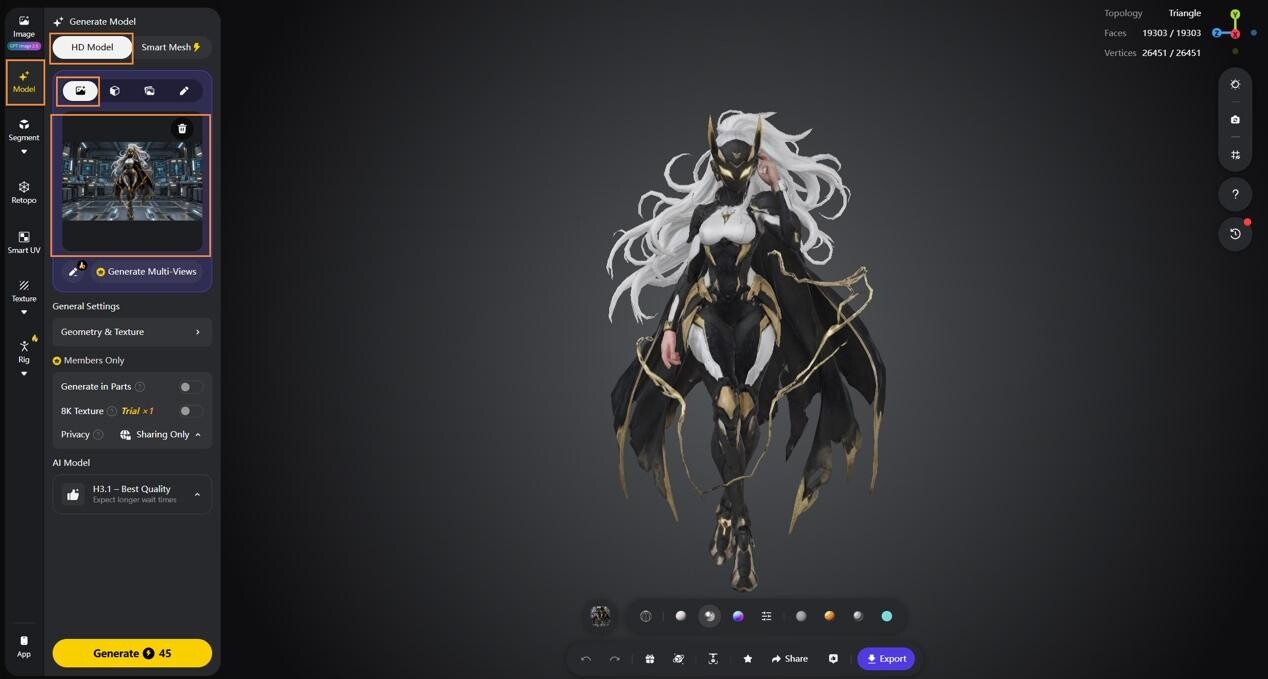
After generation, save the untouched first candidate before making edits. This image is useful even when the candidate fails because it separates input problems from later correction work.
4. Inspect structure before surface detail
Rotate the same candidate through front, side, three-quarter, and back views. Check whether the mask remains symmetrical, limbs are separated from the cape, the hair does not merge into shoulder armor, and rear surfaces form plausible volumes. The supplied reference shows the front clearly but provides limited evidence for the back, so those areas deserve more scrutiny than the chest plate.
5. Review topology and appearance for the intended use
A model that reads well from multiple angles may still contain geometry that is awkward to edit. Begin in Model View, select White Model, and enable Wireframe to inspect mesh distribution around the mask, hair tips, shoulder armor, fingers, cape edges, and boots. This is an inspection step, not proof that retopology has been completed. When a lower-polygon, more regular mesh is required, run Retopology as a separate operation and compare the result with the accepted silhouette rather than treating a lower face count as an automatic improvement.
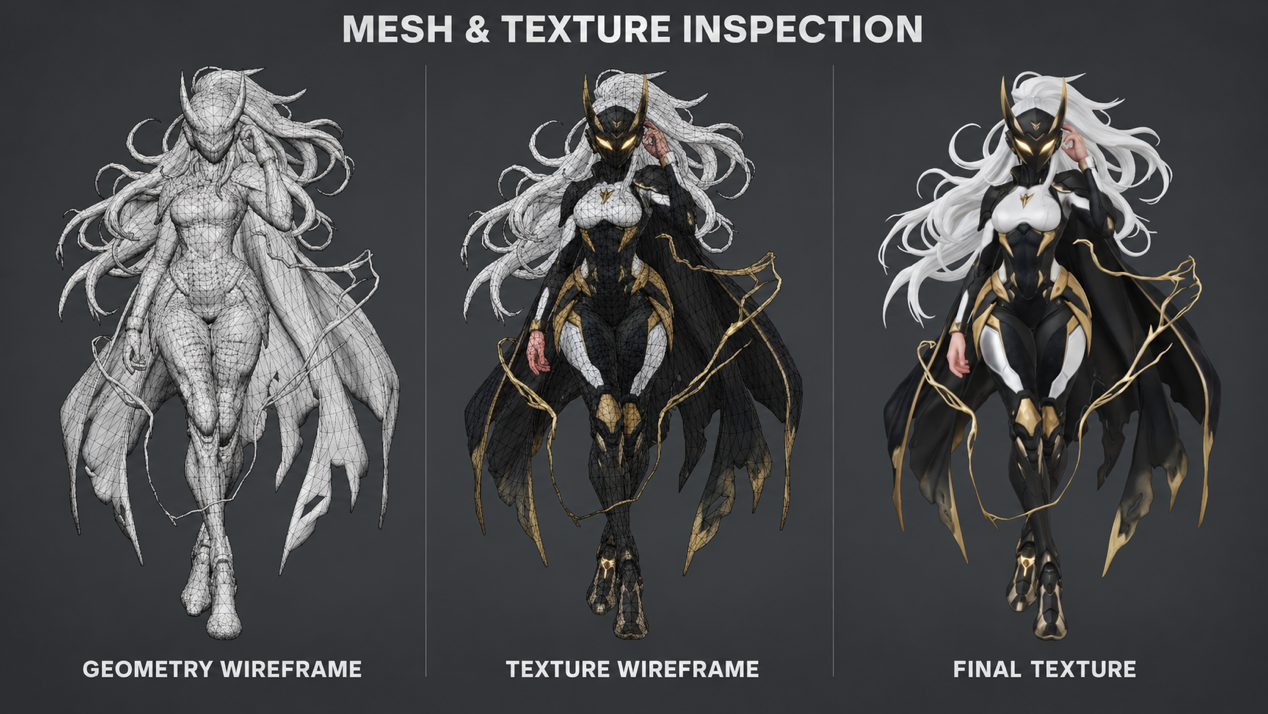
Texture review should be equally controlled. First capture the accepted form in White Model view with Wireframe disabled, then switch to Texture View without changing the camera angle, pose, scale, HDRI, Shader, or crop. Compare the mask edge, white armor, black undersuit, gold trim, hair, and cape under the same neutral lighting. If materials merge or drift across seams, record the defect and retry only the stage that needs correction.
6. Export a documented handoff
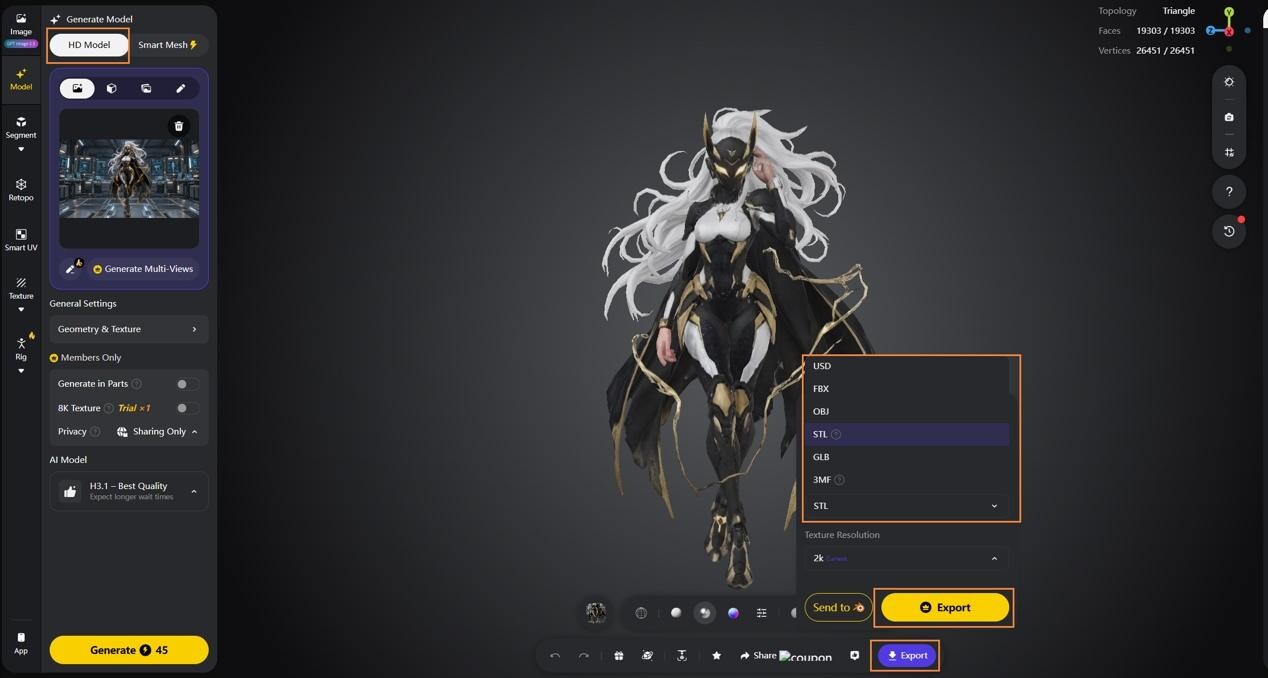
Choose the export state around the next task, then record the format, texture setting, scale or orientation checks, open defects, and review status. The model should enter the shared library under a label such as approved-for-concept-turntable, not a generic "final" state.
What the pilot should measure
Track acceptance rate, active review time, retries, estimated correction effort, and rejection reason. Separate layered characters from rigid props because their occlusion and editing risks differ. Compare the result with a manual baseline that stops at the same approval gate. A reviewable turntable should not be compared with a fully rigged character.
The useful outcome is not a one-click claim. It is a documented route from a permitted image to an inspectable handoff. In this workflow, Tripo is used to generate the initial 3D candidate; any time savings should be measured against a defined manual baseline. The reference record, multi-angle review, defect log, and named approval state make the asset understandable to the next person who receives it.
Until next time, Be creative! - Pix'sTory
Recommended posts
-

Video Email Marketing - How to Do It and Why You Need It
Read More › -
Design an App Without Code: 2026 Complete Guide
Read More › -

How to Build a Highly Efficient Team Knowledge Base Using an AI Wiki
Read More › -

How to Make Your Social Media Posts Stand Out?
Read More › -

How to Discern Graphic Design Ideas for Inspiration
Read More › -

6 Architectural Visualization Studio Portfolios to Inspire Your Next Proj...
Read More ›